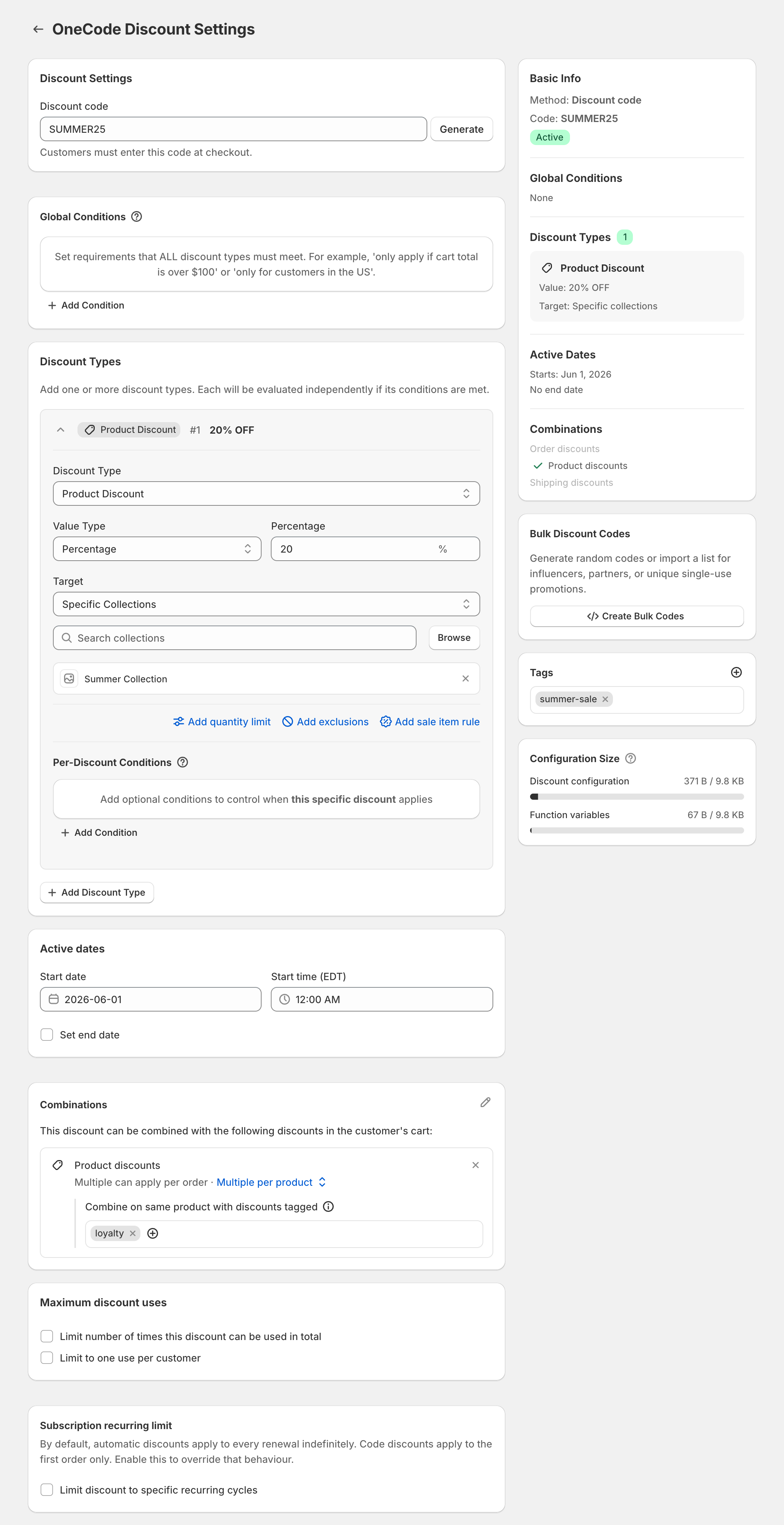
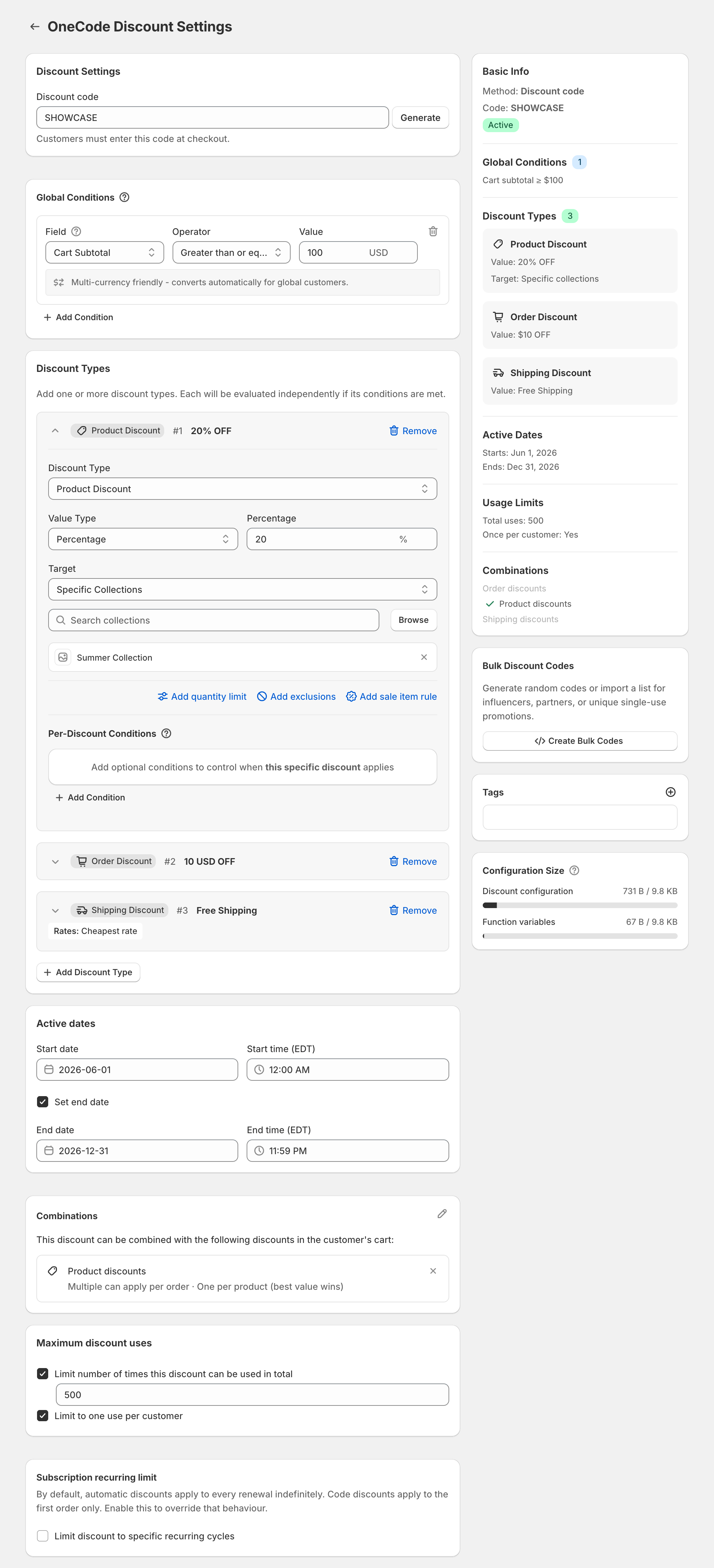
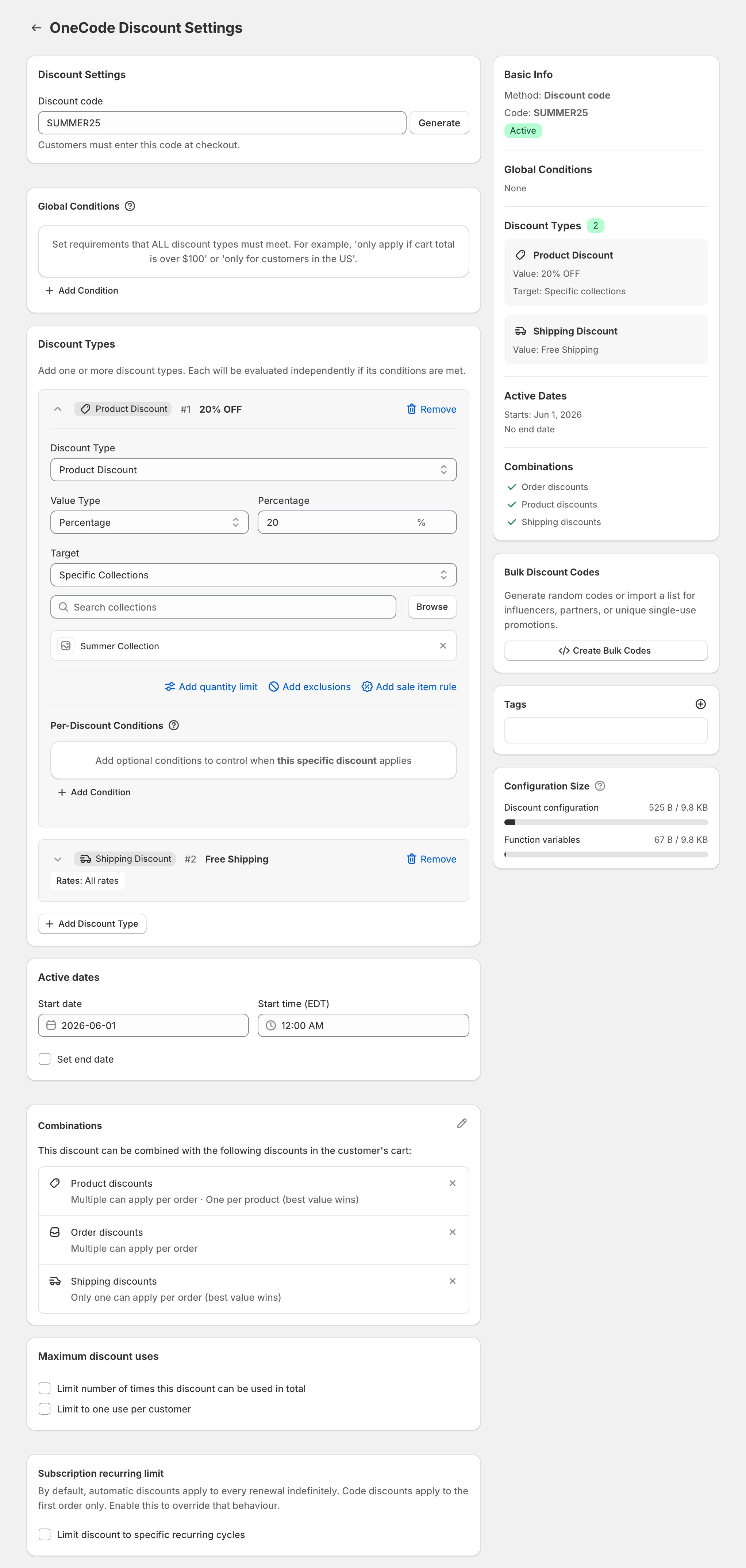
If you are moving discount logic from Shopify Scripts to Shopify Functions, you can rebuild a Script that gave more than one kind of discount as a single OneCode: Stackable Discounts discount. OneCode runs as a Shopify Discount Function. One OneCode code, or one automatic discount, can hold product, order and shipping discounts, each with its own conditions. OneCode doesn’t read or import your Script. You rebuild the offer in the OneCode editor, then check that checkout gives the same result.
Say your Script gave 20% off products and free shipping on carts of $50 or more. The rebuilt OneCode discount should give an $80 cart $16 off and free shipping, and a $40 cart $8 off with shipping charged as normal. If your Script only did one kind of discount, such as a single percentage off, a native Shopify discount may be all you need.
Rebuild each part of the Script
| What your Script did | How to build it in OneCode |
|---|---|
| Money off products and free shipping | A Product Discount and a Shipping Discount on the same code. Guide |
| Free shipping above a spend | A Cart Subtotal condition in the shipping discount’s Per-Discount Conditions. Guide |
| A different percentage per collection | One Product Discount per collection, each with its own percentage. Guide |
| Tiers by quantity or spend | One discount per tier, each with a higher threshold. The best tier wins. Guide |
| Buy one, get one free | A 100% Product Discount with a Quantity Limit, plus a condition for the “buy” part. Guide |
| A discount for tagged customers | A Customer Tag or Customer Segment condition. Guide |
| Different offers by country | A Shipping Country condition on each discount. Guide |
| An extra saving on top of a sale | An order discount, set to combine with the sale. Guide |
| Everything except one collection | Specific Collections, with every collection you do want discounted. Guide |
| A free gift | A 100% Product Discount on the gift with a Quantity Limit of 1. Guide |
Details to check as you rebuild:
- Spend thresholds: Cart Subtotal is measured before discounts. Put the condition under Global Conditions instead if nothing on the code should apply below the spend.
- Buy one, get one: the Quantity Limit counts per order. A limit of 1 makes one item free, even if the customer buys four.
- Country: use 2-letter country codes, such as
GBrather thanUK. Product and order discounts check the country your store is showing the customer, and shipping discounts check the delivery address. - A second saving on a sale: separate product discounts don’t add up on the same item, so the extra saving has to be an order discount. On Shopify Plus, two product discounts can stack on the same item with tags.
- Leaving out a collection: there is no “everything except” target, so you list the collections you want instead. Items with a compare-at price can be left out with Exclude sale items.
- Free gifts: OneCode doesn’t add the gift to the cart. The customer adds it, and the code makes it free.
Switch over safely
- Rebuild the offer in OneCode on a development store, or as a code you haven’t announced yet.
- Put the same test carts through checkout that your Script handled. Check the item prices, the order discount line if there is one, and the shipping price.
- In the OneCode discount’s Combinations card, allow the kinds of discount it should be used with, and do the same on those other discounts.
- Turn the Script off only when OneCode gives the same results.
Customers see OneCode discounts in the cart and at checkout like any other Shopify discount. The discounts run inside Shopify checkout, so they keep working without the app page open, until you uninstall the app. OneCode costs $9.90 USD every 30 days after a 7-day free trial, billed by Shopify.
Other apps for this move are compared in Shopify Scripts replacements.