Run the whole weekend on one code, BFCM20, that takes 20% off everything and makes shipping free on orders of $50 or more. OneCode: Stackable Discounts puts both on one code, and you set start and end dates so it switches on and off by itself. Shopify’s own discount codes each hold one kind of discount, so without an app this would be a percentage code plus a separate shipping code, and every ad and email would need to mention both.
What customers get with BFCM20:
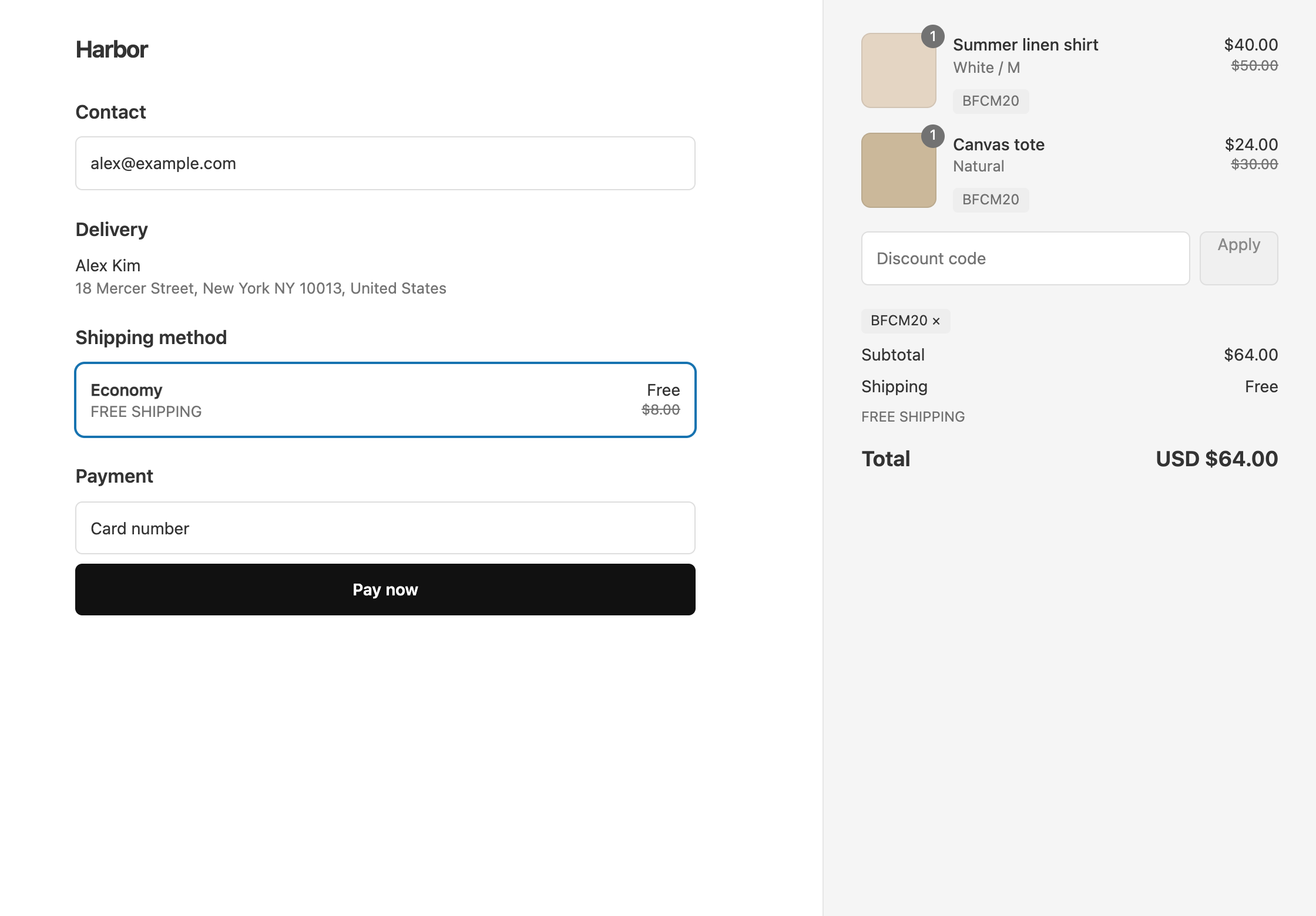
- An $80 cart gets $16 off, costs $64, and ships free.
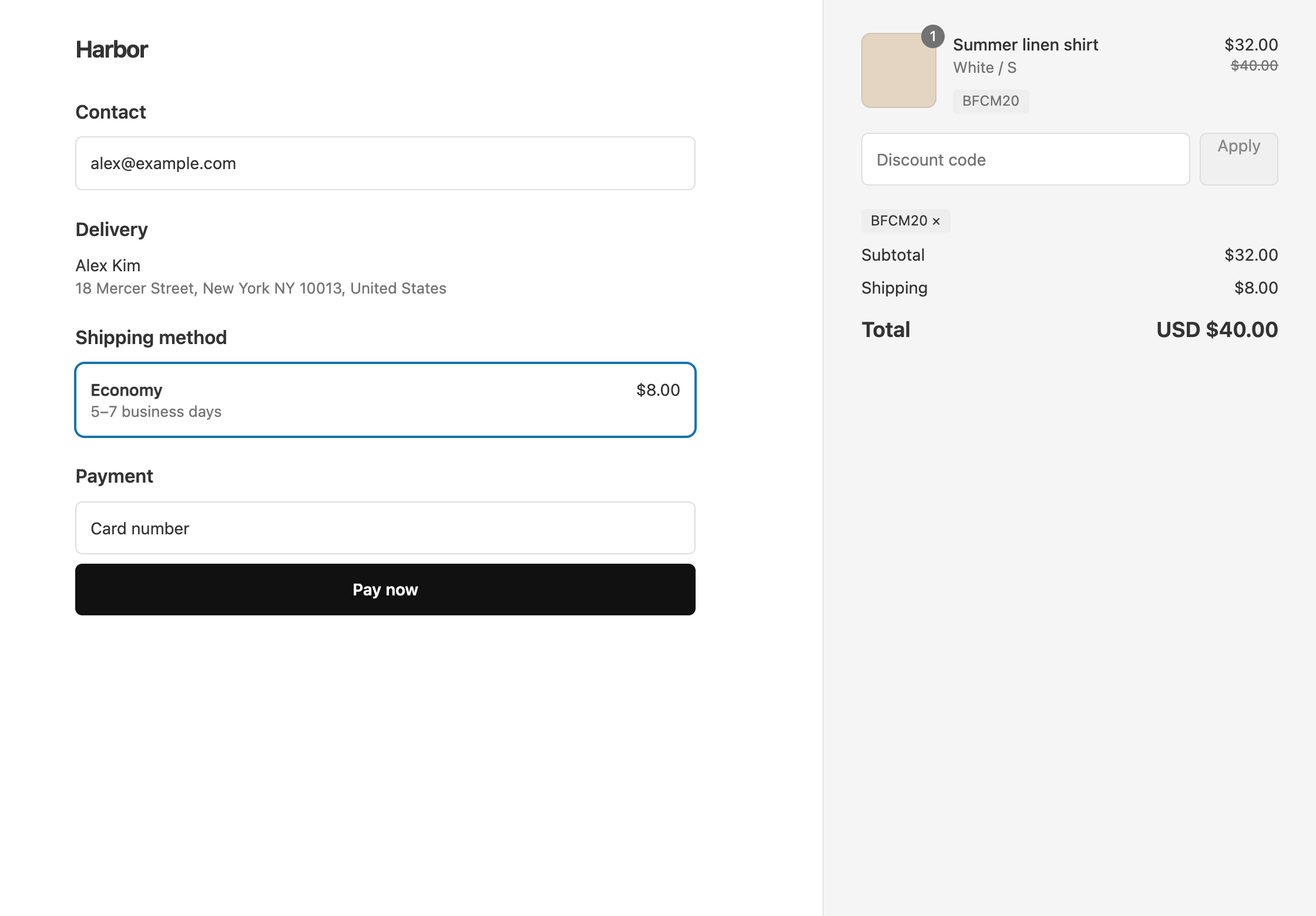
- A $40 cart gets $8 off and costs $32, plus the normal shipping rate.
- A $55 cart gets $11 off, costs $44, and ships free, because the $50 minimum is checked before the 20% comes off.
The week before
- Build
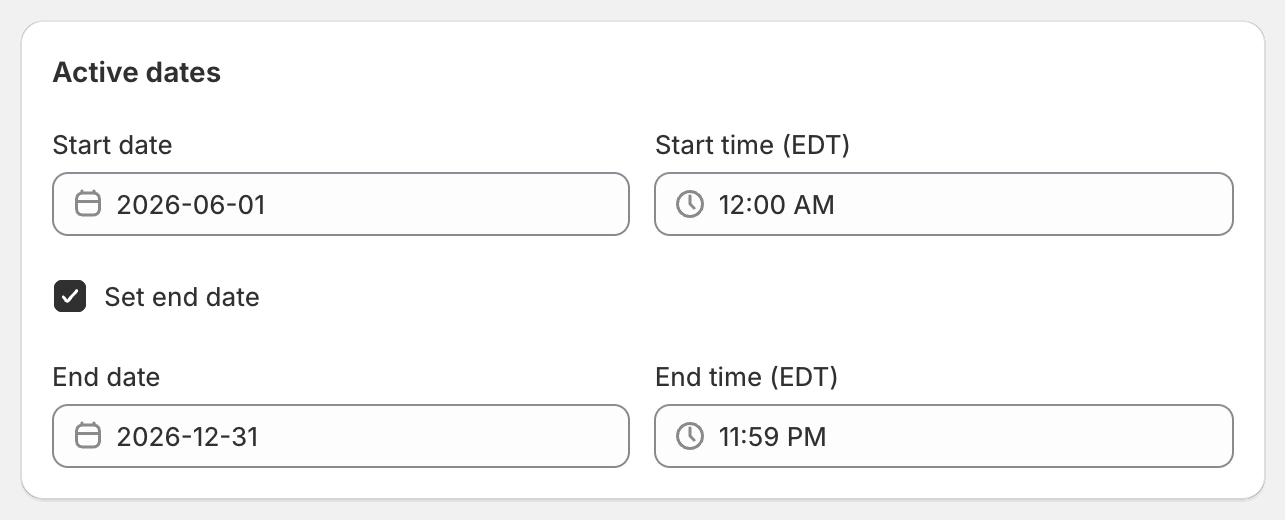
BFCM20with an end date. Add a Product Discount of 20% on All Products and a Shipping Discount with Free Shipping. On the shipping discount, add the Per-Discount Condition Cart Subtotal, Greater than or equal to,50. In Active dates, set the start, tick Set end date, and choose when the sale ends. Times are in your store’s time zone. Full steps: a Black Friday code with 20% off and free shipping over $50. - Decide what happens to items already on sale. OneCode treats an item as on sale when its compare-at price is higher than its price. To leave those items out, click Add sale item rule on the product discount and choose Exclude sale items. You can also give sale items a smaller discount, such as 10% instead of 20%. See 20% off full price and 10% off sale items. To leave out a whole collection, target the collections that should be discounted instead. See exclude one collection.
- Set up creator codes as order discounts. Each item gets only one product discount, so a creator’s 10% product code adds nothing on top of a 20% product sale. Give each creator code an Order Discount of 10% and a Shipping Discount with Free Shipping. Then allow both sides to combine: on
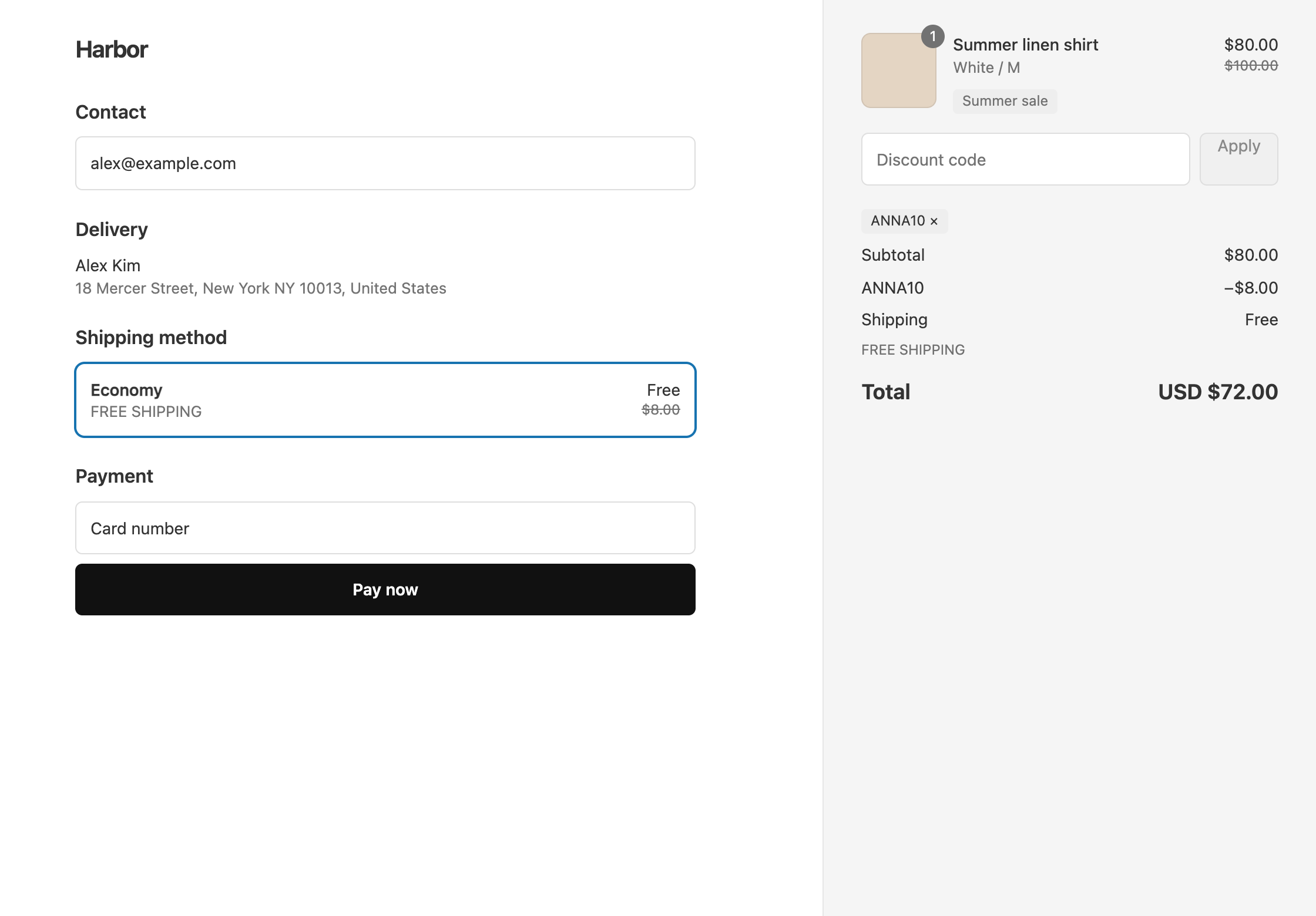
BFCM20, tick Order discounts and Shipping discounts in Combinations, and on each creator code, tick Product discounts and Shipping discounts. New OneCode discounts have all three ticked already. A $100 cart then costs $80 after the sale and $72 after the creator’s 10%, with free shipping. See an influencer code that still works during a sitewide sale. - Put the same code everywhere. Use
BFCM20in your ads, emails and announcement bar. OneCode doesn’t add banners to your storefront, so add the code to your theme yourself.
Customers can enter BFCM20 and a creator code together at checkout, because both allow combining. If you’d rather your creators’ followers type only one code, make the sale an automatic discount instead of a code.
Cyber Monday or daily deals
To run a different offer on another day, duplicate BFCM20 from the OneCode dashboard. The copy opens as a new, unsaved discount with the code BFCM20-COPY. Change the code and the percentage, then set new dates, because dates aren’t copied.
After the sale
The end date switches BFCM20 off. Creator codes keep working unless you end them too. After the sale, a creator’s 10% comes off full price, so a $100 cart costs $90.
If you lowered prices with compare-at prices rather than a discount, the end date doesn’t change them. Change those prices back in Shopify yourself.
For other tools you might need over the weekend, see best Shopify apps for a Black Friday discount code.
OneCode costs $9.90 USD every 30 days after a 7-day free trial, billed by Shopify. You can install it from the Shopify App Store.