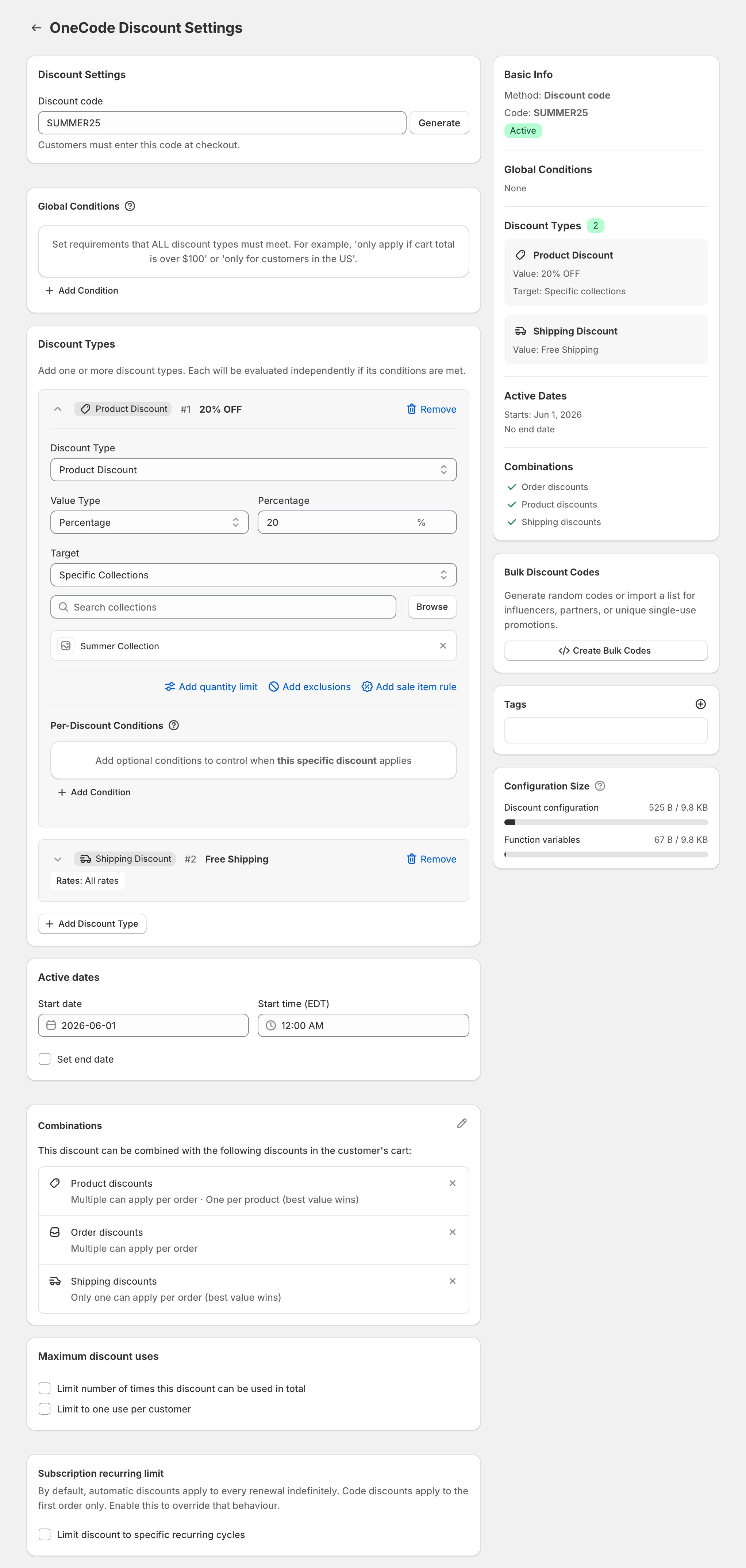
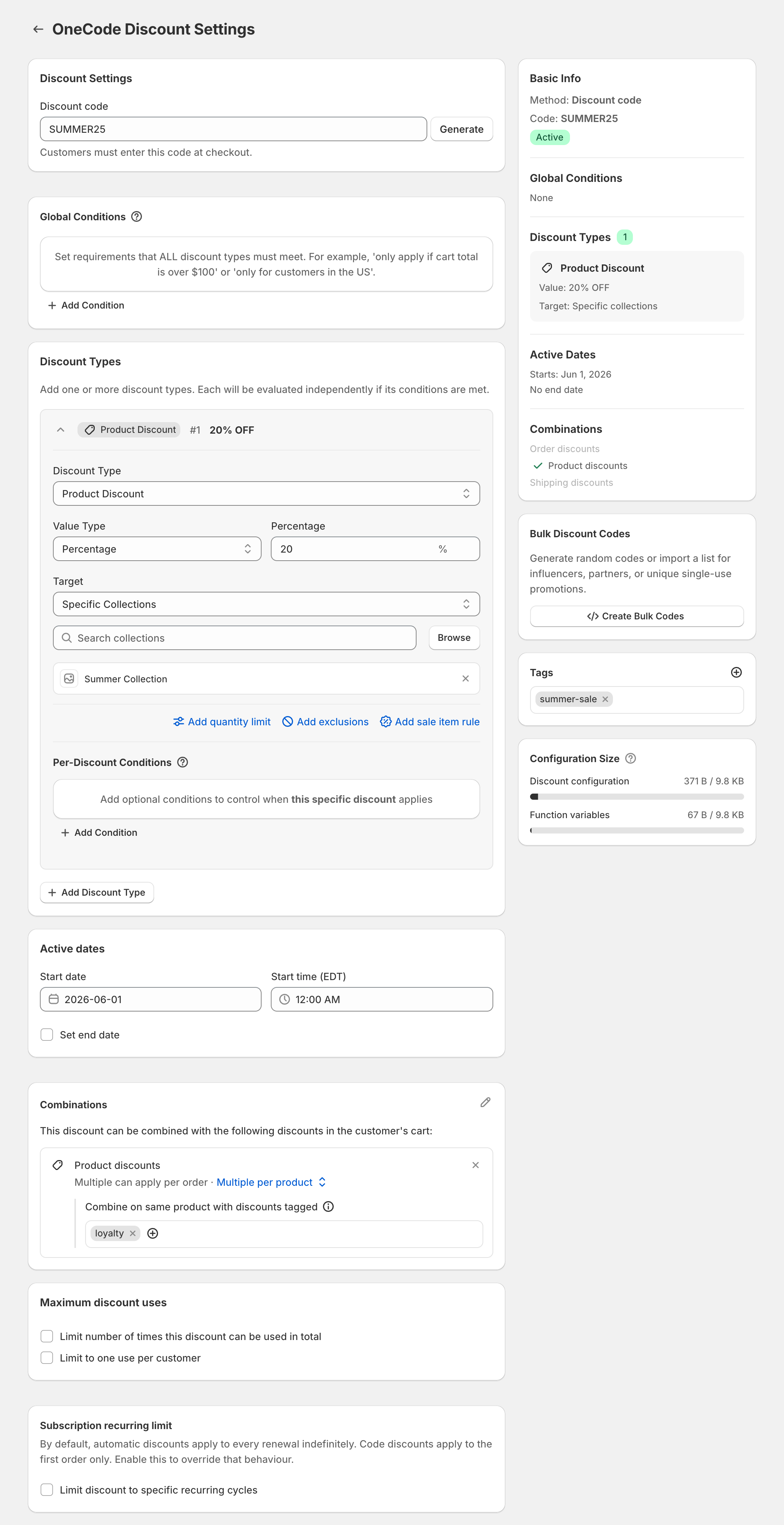
A common client ticket goes like this: the store advertised one code, the code took money off products, and free shipping was a second code the customer never entered. OneCode: Stackable Discounts solves it by putting product, order and shipping discounts on one code, or one automatic discount, each with its own rules. You build every client’s offer the same way, and each store installs the app and is billed on its own Shopify invoice.
For example, the code BFCM20 gives 20% off every product, plus free shipping on carts of $50 or more. An $80 cart gets $16 off and ships free. A $40 cart gets $8 off and pays for shipping.
The build you repeat
- Use one code or one automatic discount per offer. Don’t split the offer across codes.
- If the percentage differs by collection, add one Product Discount per collection. See a different percent per collection.
- Add the Shipping Discount to the same code. If the percentage should still apply below the spend threshold, put the Cart Subtotal condition under the shipping discount’s Per-Discount Conditions. If nothing should apply below it, put it under Global Conditions.
- If the client runs a sitewide sale at the same time, make the creator code an order discount. A product discount code adds nothing to items the sale already covers. See an influencer code during a sale.
- When each creator or email subscriber needs a unique code, use the Bulk Discount Codes card after saving. You can generate up to 10,000 codes at a time, or import them from a .csv or .txt file, and every code shares the discount’s rules. See bulk discount codes.
- To reuse a setup within the same store, click the duplicate icon next to the discount on the OneCode dashboard. It opens an unsaved copy with every setting except bulk codes, usage counts and dates. A copied code ends in -COPY, and a copied automatic discount’s title ends in “copy”.
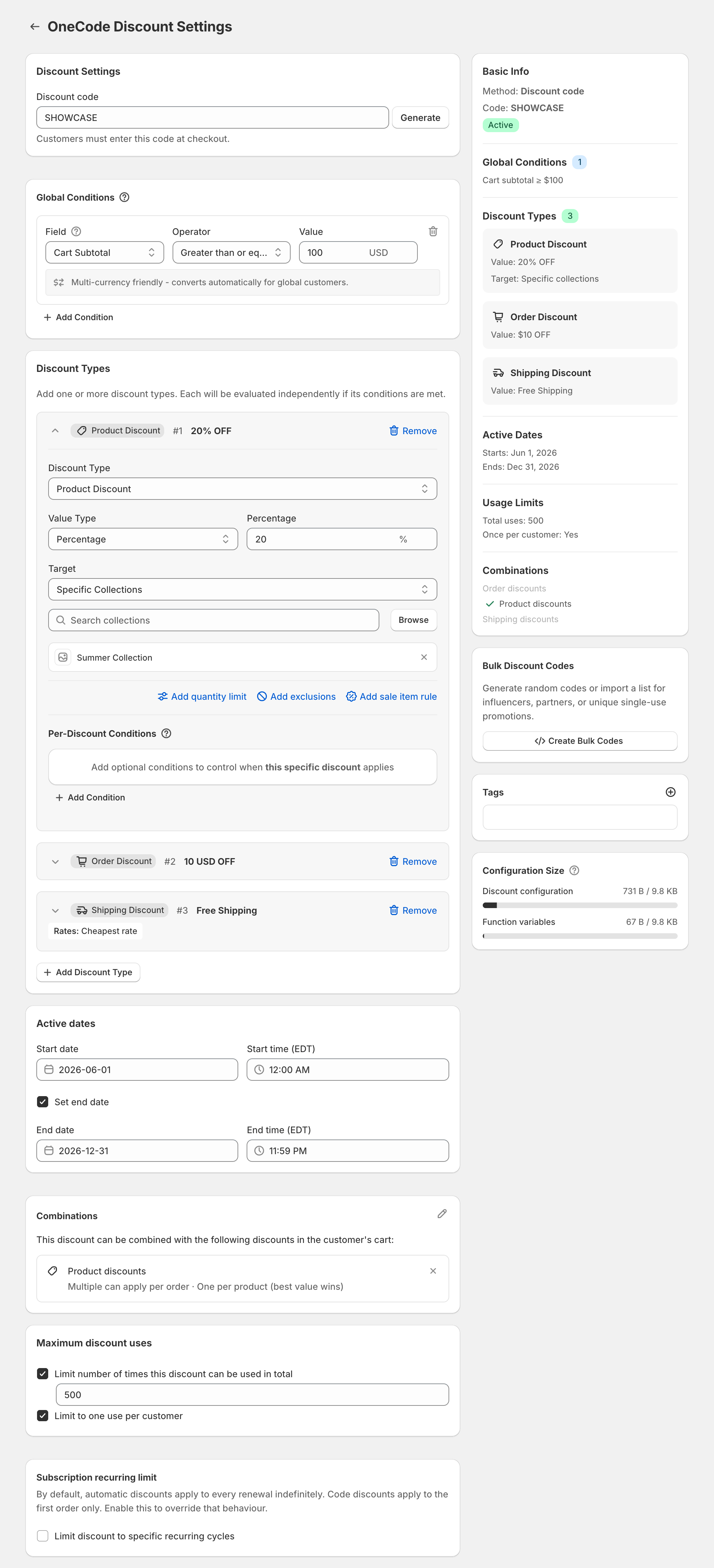
The code SHOWCASE shows the full pattern: 20% off the Summer Collection, $10 off the order and free shipping on the cheapest rate, for carts of $100 or more.
Plus clients
On Shopify Plus, two separate product discounts can stack on the same item when both are tagged and set to combine with each other’s tag. On every other plan, make the second saving an order discount. See stacking on Shopify Plus.
Clients moving off Scripts
To rebuild discount logic from a Script, see replace a Shopify Script. OneCode handles discounts only. It doesn’t change which shipping or payment methods checkout shows.
Sidekick
You can ask Shopify Sidekick to create or edit a OneCode discount. Start the request with “Use OneCode to…”, otherwise Sidekick may try to create a native discount instead. Sidekick opens the OneCode editor and fills in the form, and nothing is saved until you click Save discount. Bulk codes, subscription recurring cycles, discount tags and Plus stacking still have to be set in the editor. See OneCode and Sidekick.
OneCode has one plan with every feature, so every client store gets the same app. It costs $9.90 USD every 30 days after a 7-day free trial, billed by Shopify. Install it on each store from the Shopify App Store.