
What "stacking discounts" means on Shopify
Stacking can mean combining separate discounts, putting several kinds of discount on one code, or two product discounts on one item. Here is how each works on Shopify.
OneCode: Stackable Discounts
With OneCode, one Shopify discount code can take money off products, off the order and off shipping at the same time, each with its own rules.
★★★★★ Rated 5.0 on the Shopify App Store
20% off Summer and 10% off Accessories, on the same code. Each item gets its best discount.
A percentage or a fixed amount off the order, taken after the product discounts. Limit it to certain collections if you need to.
Free, a percentage off, or money off. Apply it to every rate, the cheapest rate, or rates you name, with its own spend rule if you want one.
A Shopify discount code normally holds one kind of discount: money off products, money off the order, or money off shipping. OneCode: Stackable Discounts lets one code hold all three, so the customer enters a single code and gets every part of the offer. Each discount on the code can have its own rules, and they all apply together whenever their rules are met. The same works for an automatic discount that applies without a code.
The code TREAT15 has three parts: 15% off every product, $10 off orders of $100 or more, and free shipping.
A customer buys a $70 shirt and a $50 tote, so the cart is $120:
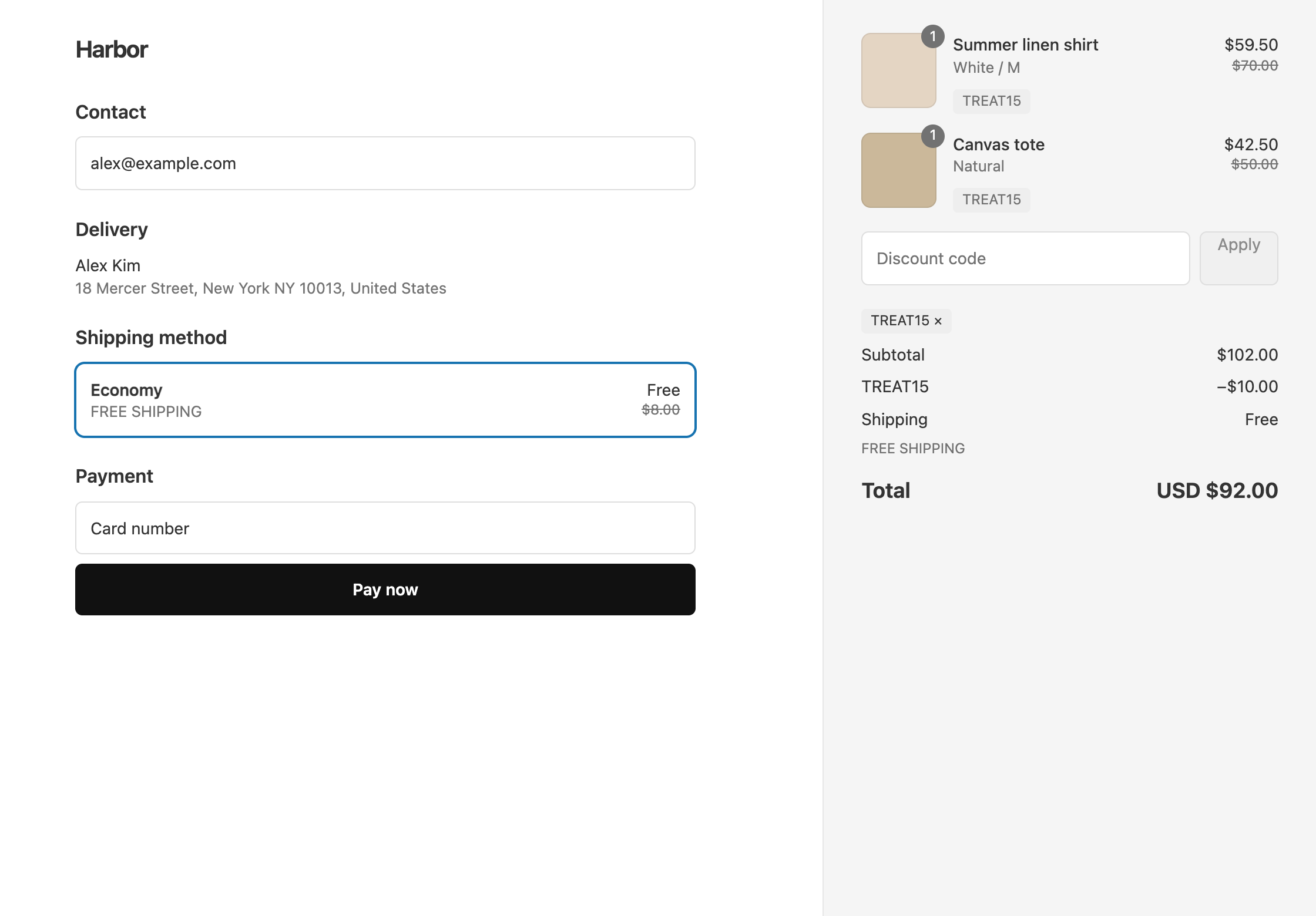
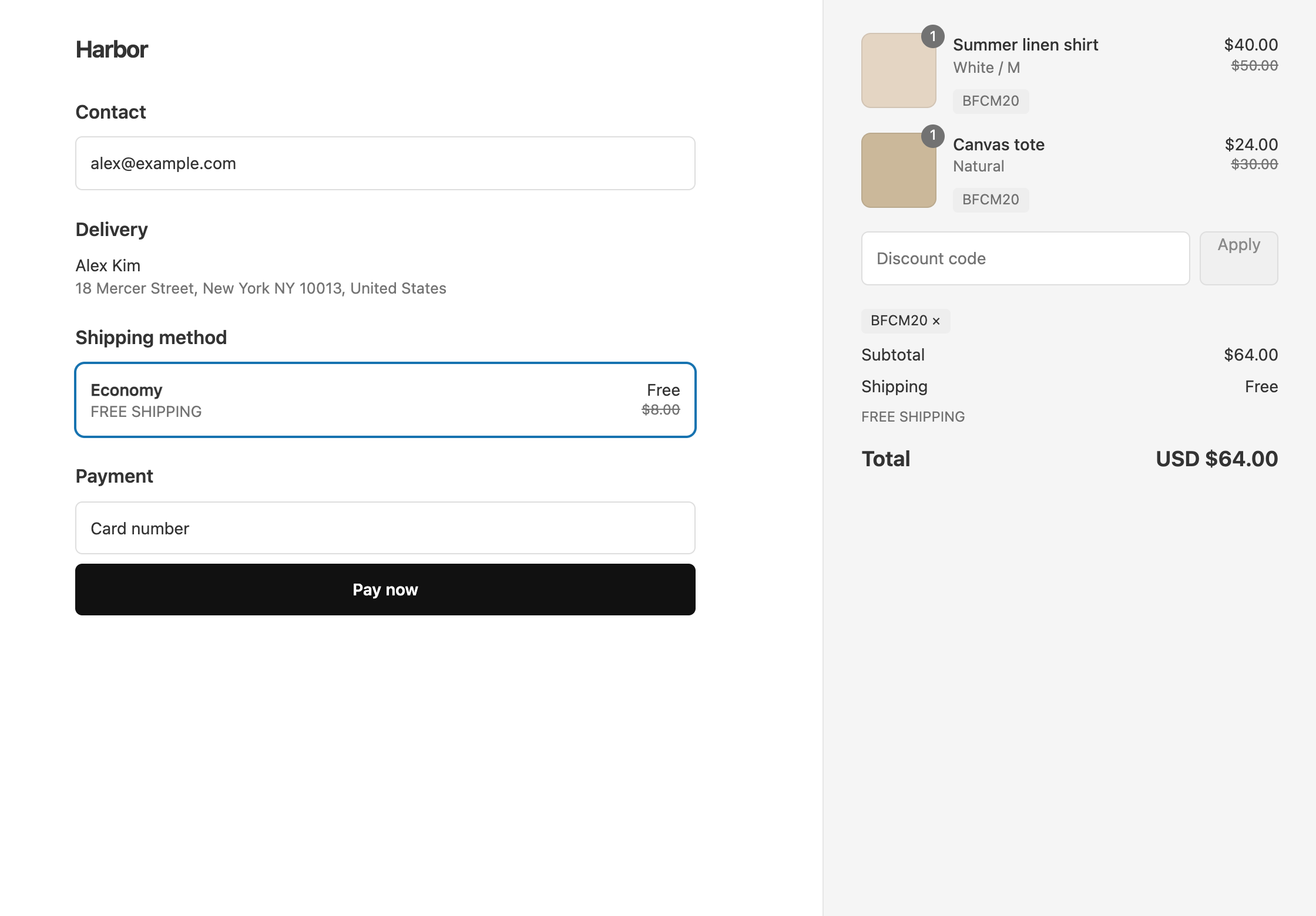
At checkout, the code appears next to each discounted item and again on the order discount line, like any other Shopify discount.
A customer with a single $60 shirt on the same code pays $51 and still gets free shipping. They don’t get the $10 off, because their cart is under $100. The $100 rule belongs to the order discount only, so the rest of the code still applies.
Each OneCode discount has two places for rules:
Conditions can check the cart subtotal, the number of items in the cart, the shipping country, the customer’s tags or customer segment, and whether a particular product is in the cart. Every condition in a list has to be met.
Cart Subtotal is measured before any discount comes off. A $110 cart still gets TREAT15’s $10 off, even though it is $93.50 after the 15%.
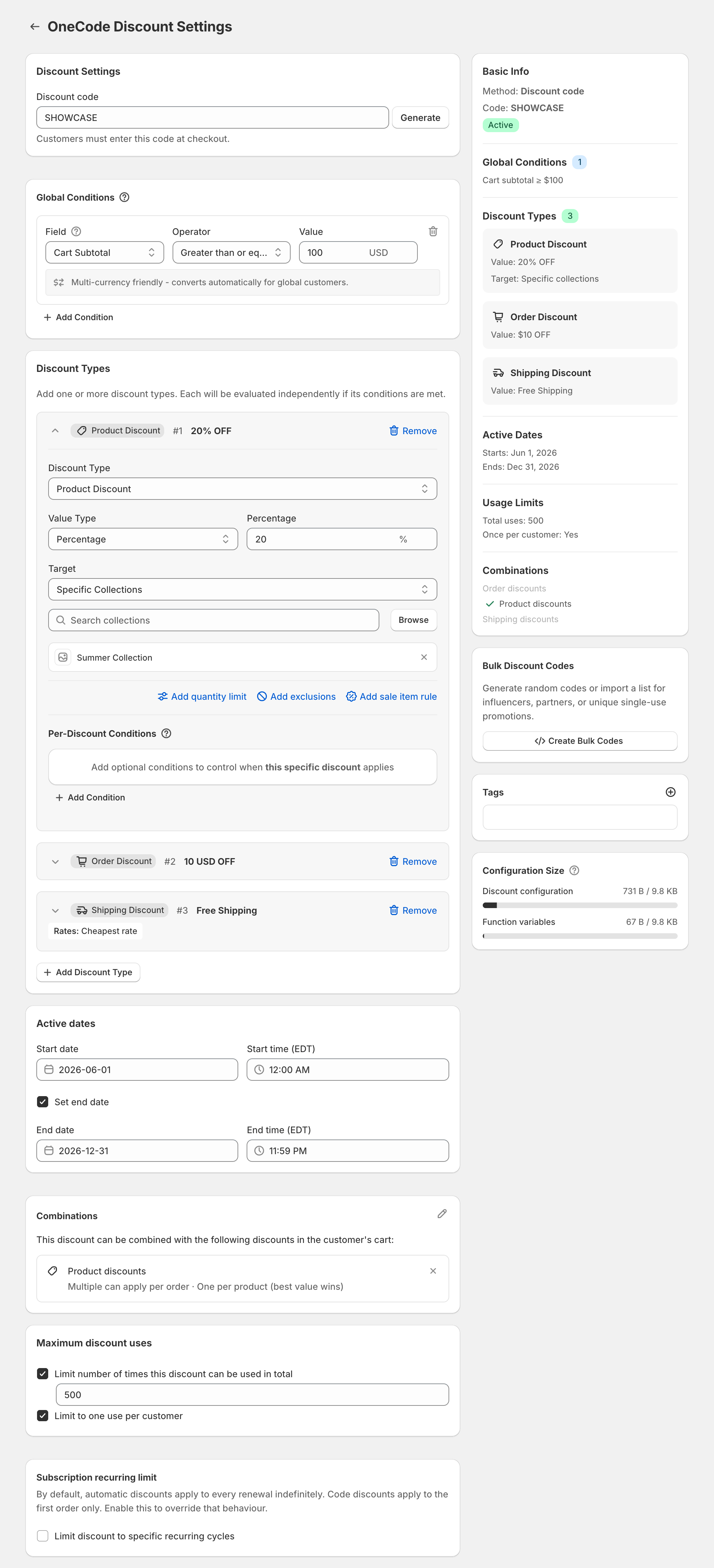
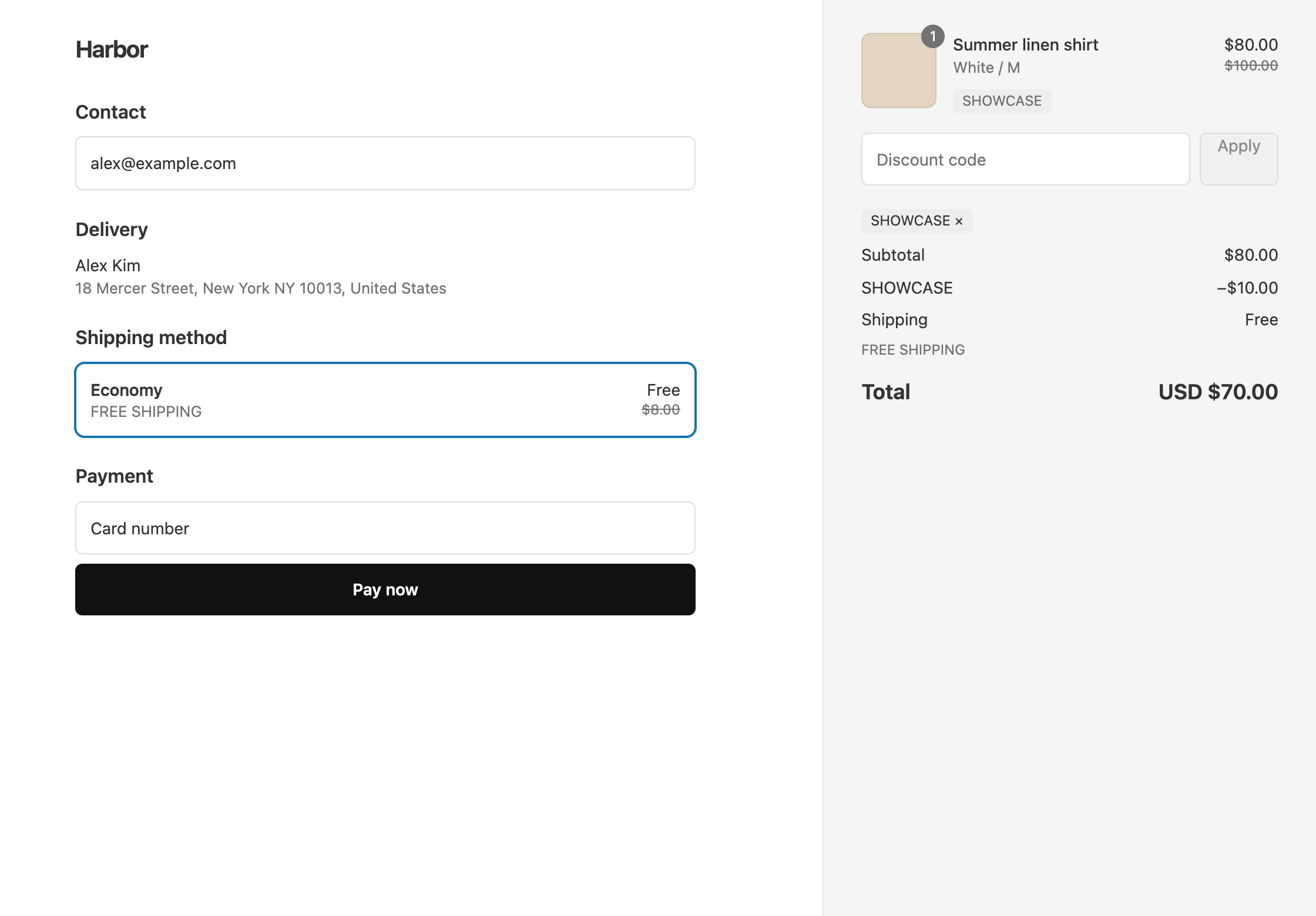
The code SHOWCASE puts its $100 rule under Global Conditions instead, so carts under $100 get nothing from it. It holds 20% off the Summer Collection, $10 off the order, and free shipping on the cheapest rate.
A $100 shirt from the Summer Collection on SHOWCASE drops to $80. Then $10 comes off the order and shipping is free, so the customer pays $70.
These steps build TREAT15:
TREAT15. If nobody should have to type a code, choose Automatic discount and enter a Title instead.15 in Percentage.10 in Amount.100.You can’t switch a saved discount between code and automatic, so choose the method before you save. Once a code is saved, the Bulk Discount Codes card can create up to 10,000 unique codes at a time that share the same rules. See bulk discount codes.
The Combinations card decides whether the code can be used alongside your other discounts, such as a Shopify sale or another app’s code. Shopify combines two discounts only when both allow it. A OneCode code counts as every kind of discount it contains, so the other discount has to allow each of those kinds.
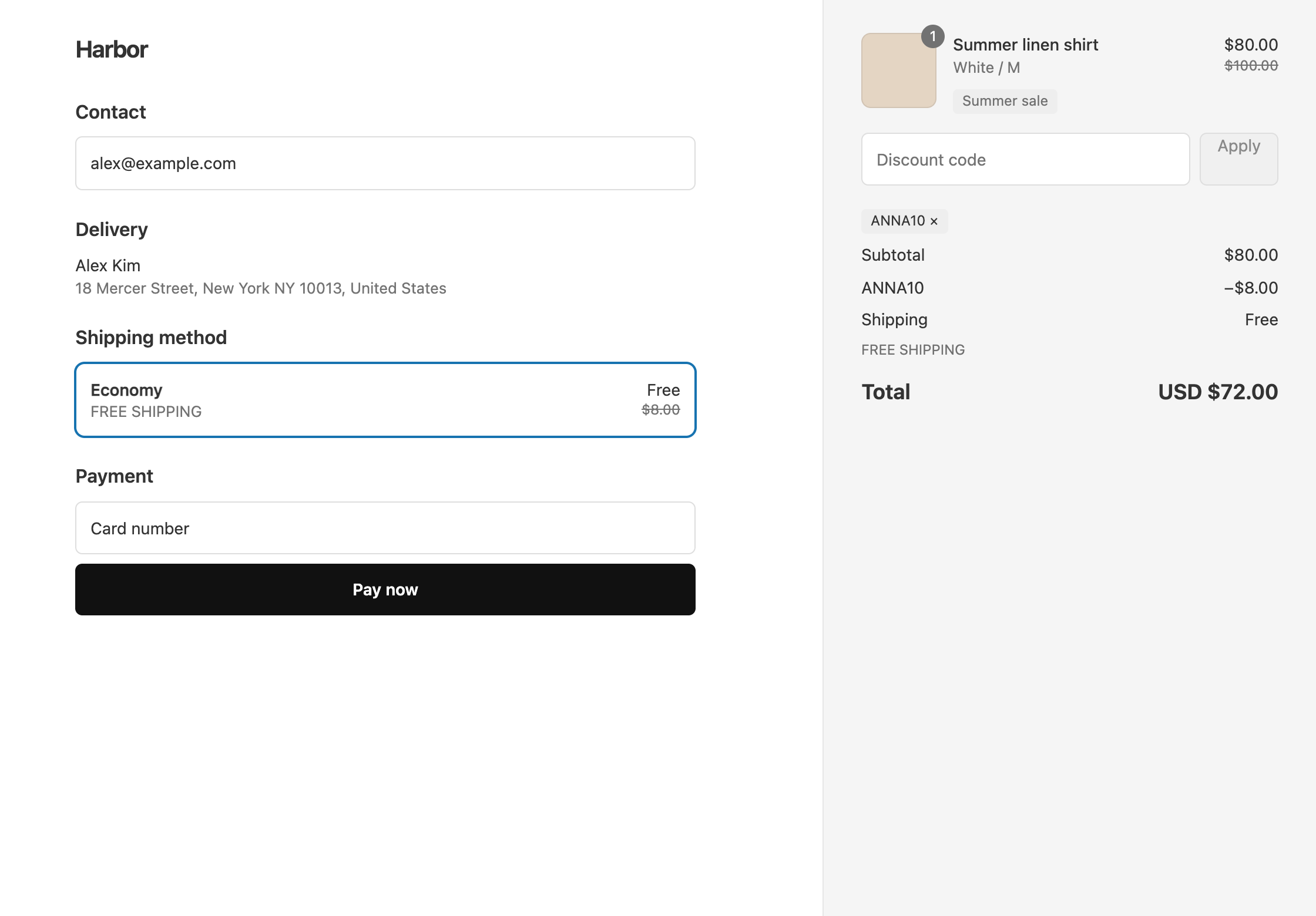
Shopify’s own rules still apply between separate discounts: each item gets one product discount, and only one shipping discount applies per order. To give a creator code an extra 10% on top of a 20% sitewide sale, make the creator code an order discount. A $100 item drops to $80 in the sale, then 10% off the order takes another $8. See an influencer code that works during a sale. On Shopify Plus, two separate product discounts can also stack on the same item with tags. If a customer reports that only one discount applied, see why only one discount applied.
The discounts run inside Shopify checkout, so you don’t need to keep OneCode open. They keep working until you uninstall the app. OneCode costs $9.90 USD every 30 days after a 7-day free trial, billed by Shopify, and every feature is included. Install it from the Shopify App Store.
Love this app! It feels like a smart fix to a long-standing Shopify headache. It removes the usual discount code limitations and gives us a far cleaner way to run promotions across products, orders, and shipping with one code. That makes it much easier to move slow or problem stock without building messy workarounds or confusing customers. …
Keep reading
Stacking can mean combining separate discounts, putting several kinds of discount on one code, or two product discounts on one item. Here is how each works on Shopify.
Each Shopify discount code is a product, order or shipping discount, so one code can't give a percentage off and free shipping. Here is why, and what to do instead.
OneCode has one plan with every feature included and a 7-day free trial. Shopify bills it on your regular Shopify invoice.
7-day free trial, then $9.90 USD every 30 days.
Built for Shopify · Rated 5.0 on the Shopify App Store