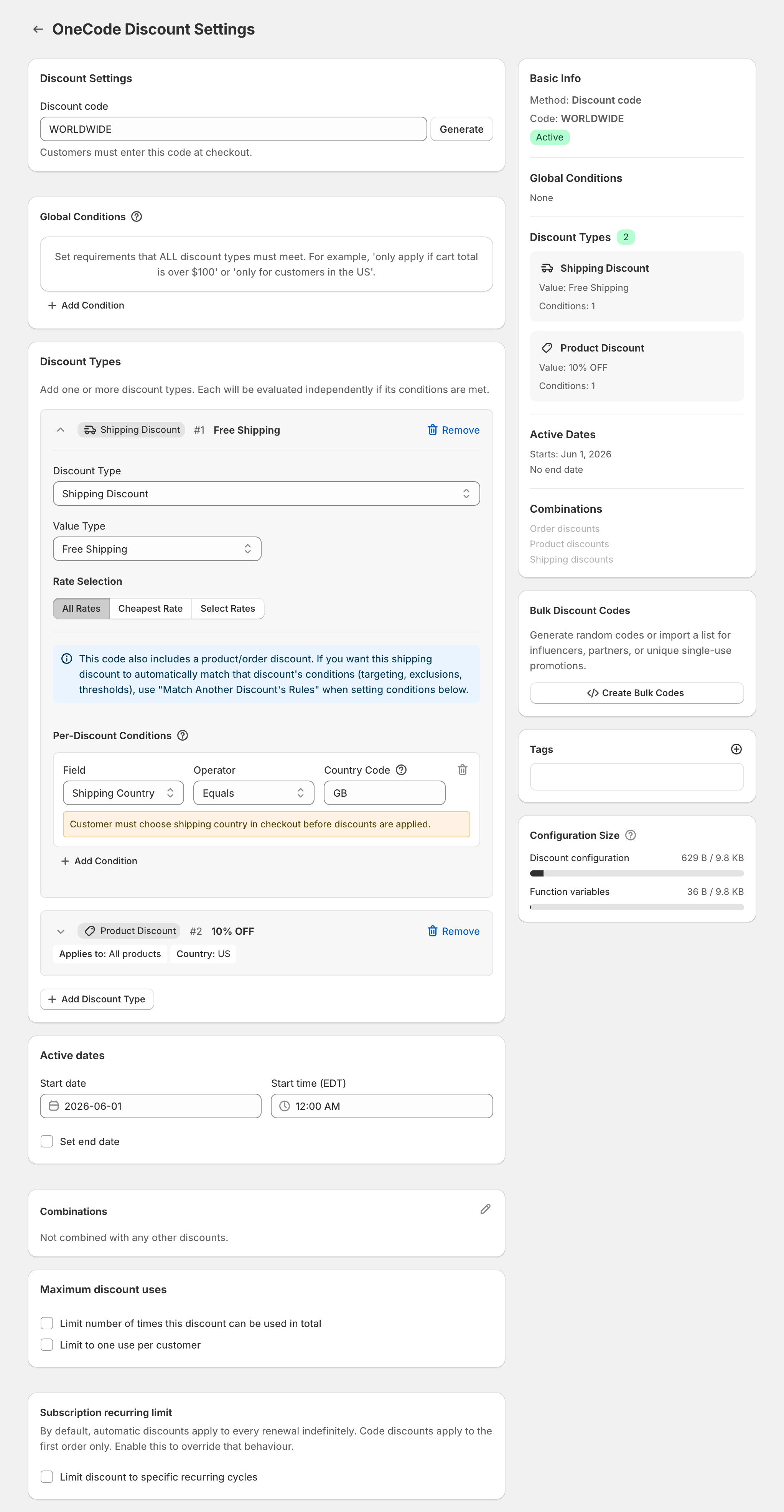
To give free shipping in the UK and 10% off in the US with one code, add two discount types to the same code and give each its own country: a free shipping discount with the condition Shipping Country Equals GB, and a 10% product discount with Shipping Country Equals US. UK customers get free shipping, US customers get 10% off, and both type the same code. The country code for the United Kingdom is GB, not UK.
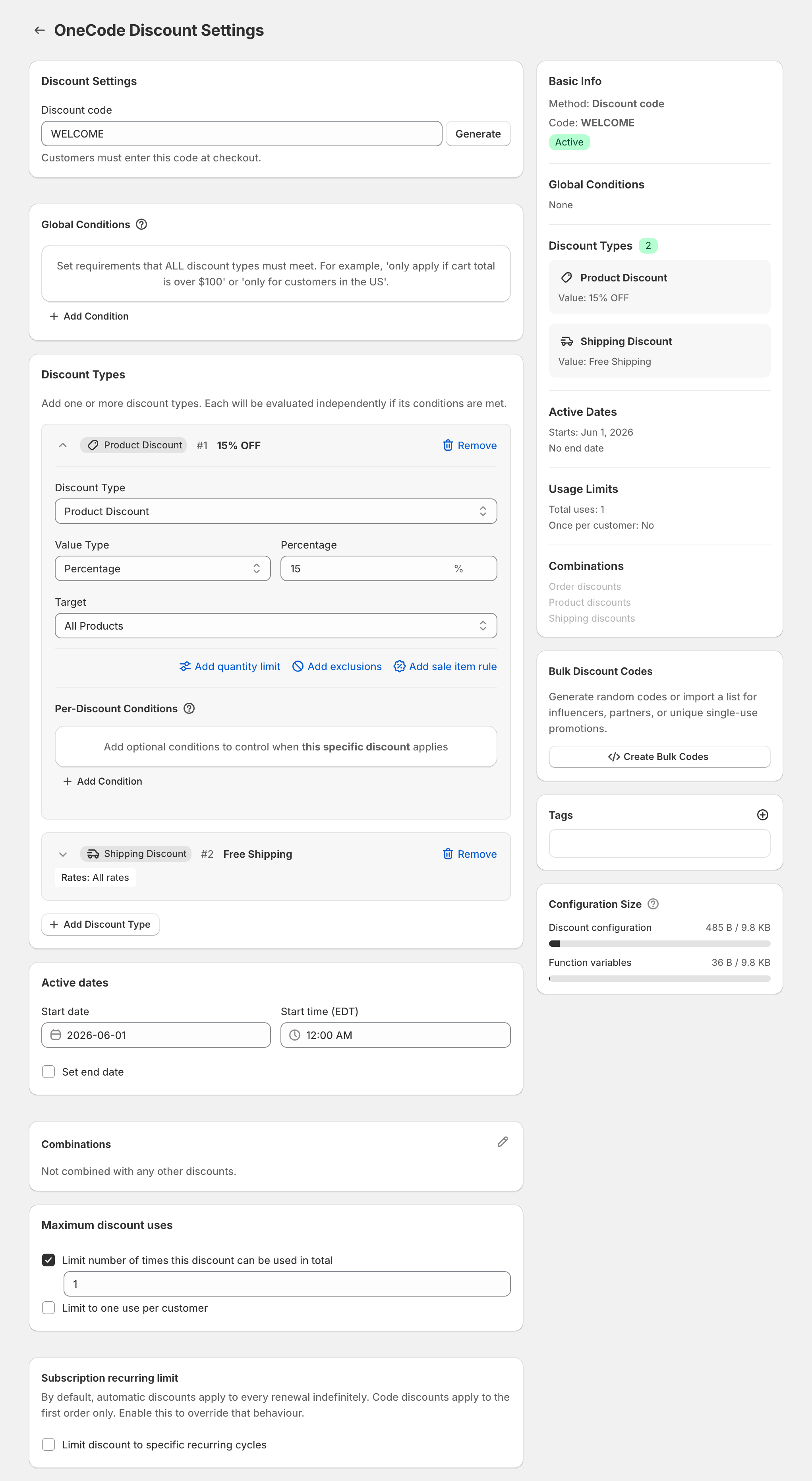
A Shopify discount code holds one kind of discount, so with Shopify’s own codes free shipping and a percentage off would be two separate codes. OneCode: Stackable Discounts puts both on one code, here called WORLDWIDE.
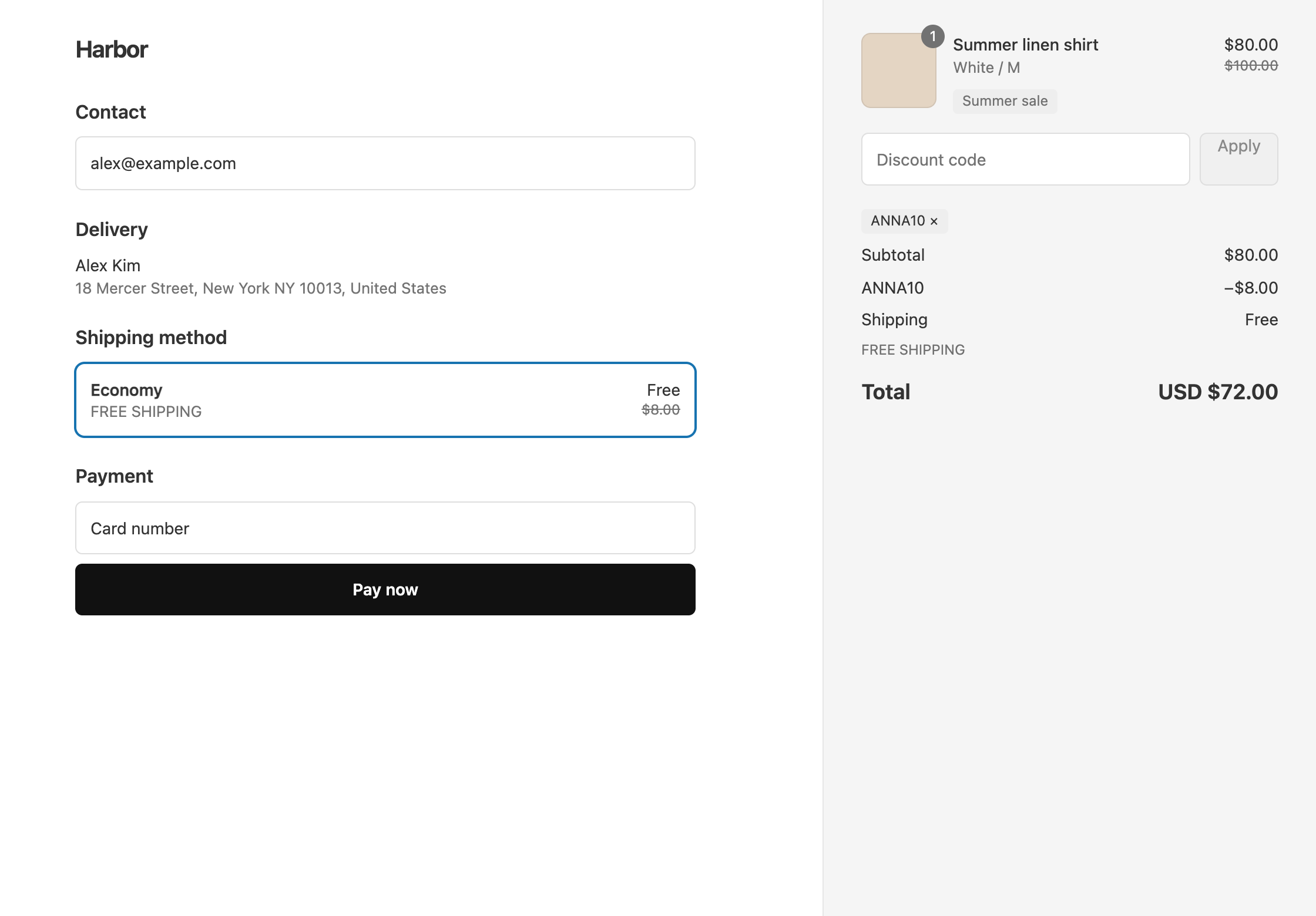
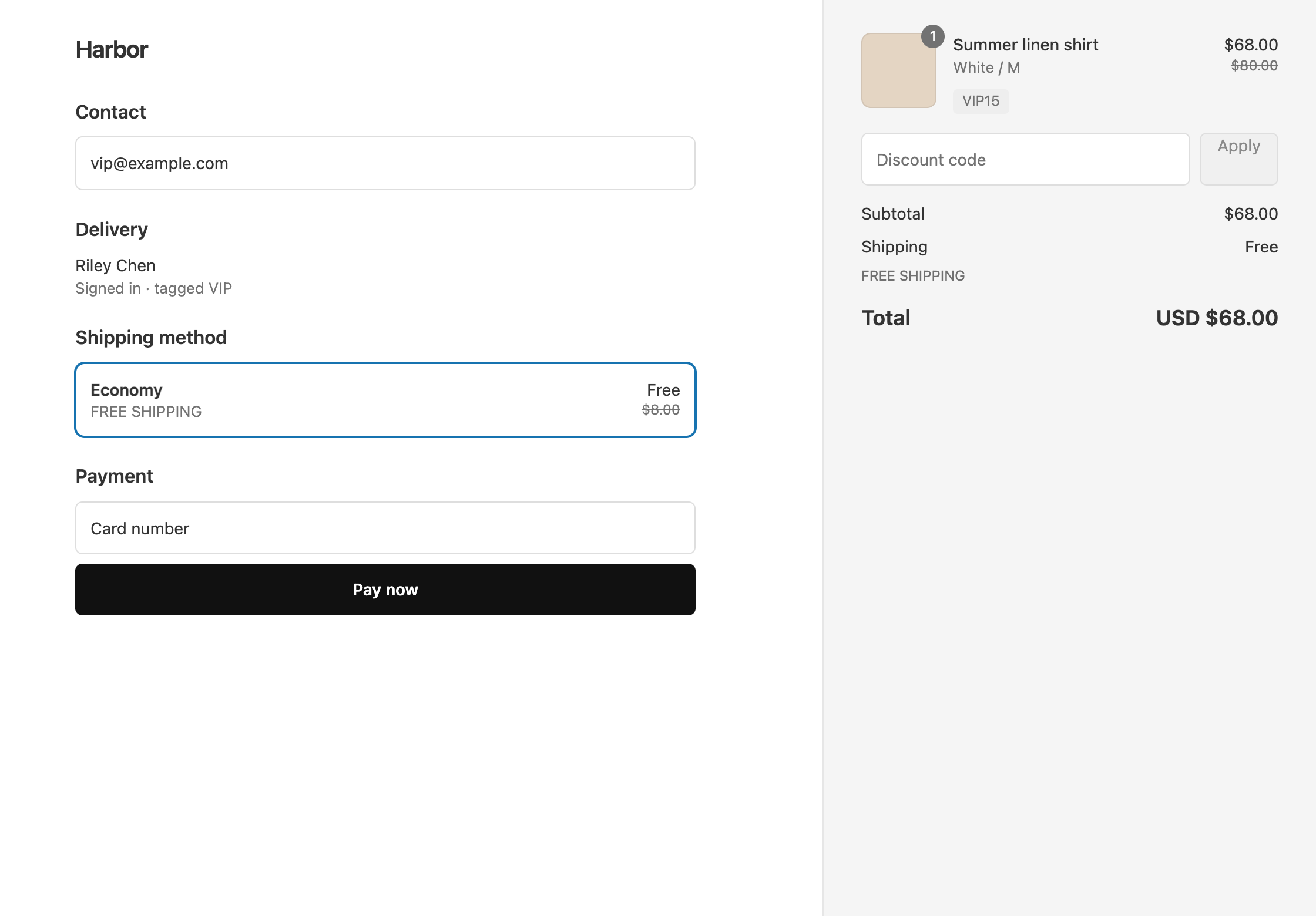
With an $80 shirt and the code WORLDWIDE:
- A US customer gets $8 off, so the shirt costs $72, and pays $8 for shipping. The total is $80.
- A UK customer pays the full $80 for the shirt and gets free shipping. The total is $80.
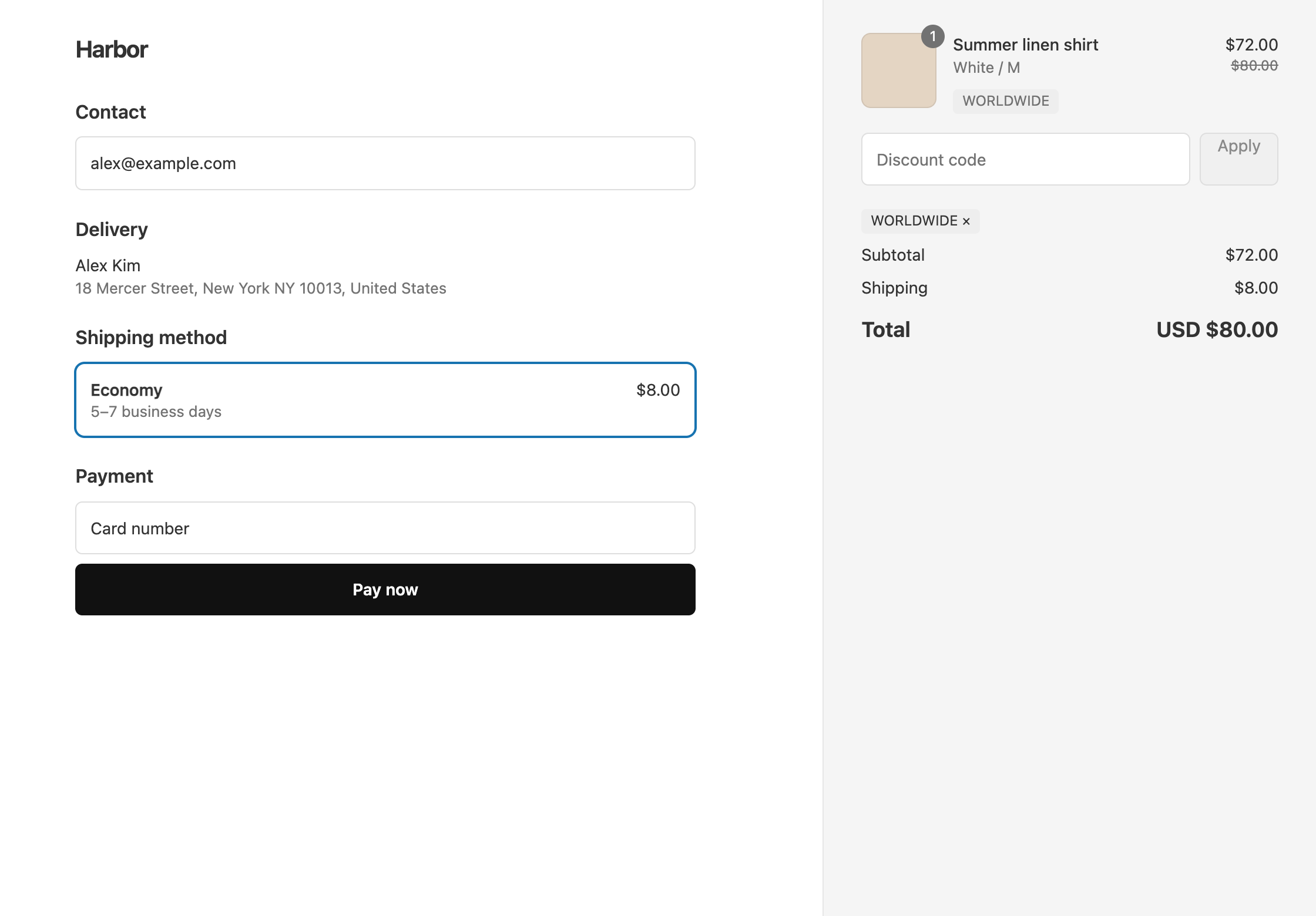
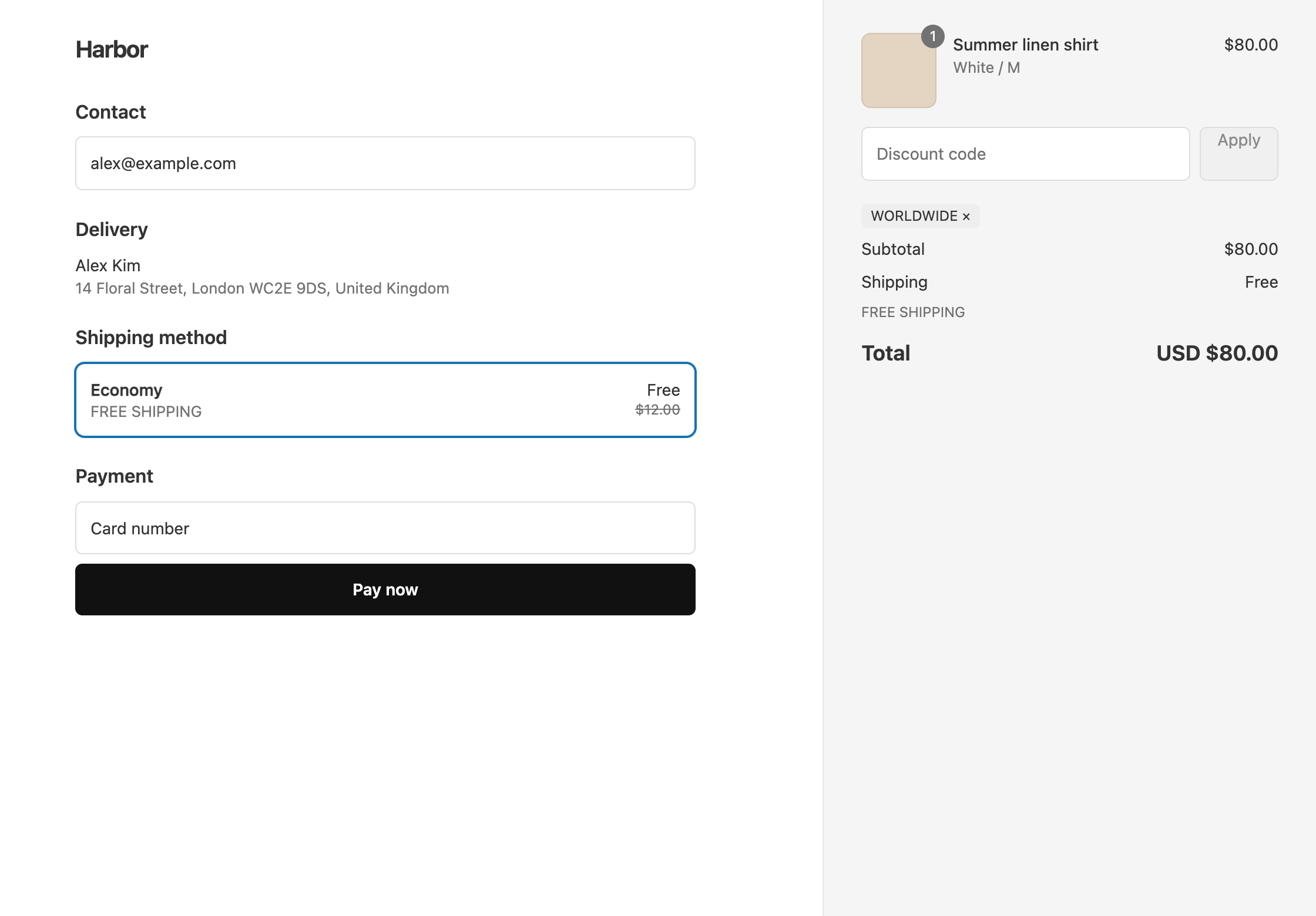
A different offer per country, on one code
- In OneCode, click Create discount, keep Discount code, and enter
WORLDWIDE. - Click Add Discount Type, set Discount Type to Shipping Discount, and keep Free Shipping. Under Per-Discount Conditions, click Add Condition, set Field to Shipping Country, keep Equals, and enter
GB. - Click Add Discount Type and enter
10in Percentage, keeping Target as All Products. Under its Per-Discount Conditions, add Shipping Country EqualsUS. - Click Save discount.
A UK order gets free shipping and not the 10%. A US order gets 10% off and not the free shipping.
One offer, some countries only
To run one offer only in certain countries, put the country on the whole discount instead. Under Global Conditions, add Shipping Country Equals US, CA, then add your discount types. Customers in the US and Canada get the discount, and everyone else gets nothing, because every Global Condition must be met for anything on the discount to apply.
To leave countries out instead, choose Not equals. For example, Shipping Country Not equals US, CA gives the offer everywhere except the US and Canada.
Which country counts
- Shipping discounts use the country of the shipping address, so the UK free shipping appears once the customer enters a UK address at checkout.
- Product and order discounts use the country your store is showing the customer, for example the one chosen in your store’s country selector.
The same goes for a Shipping Country Global Condition: shipping discounts check it against the shipping address, and product and order discounts check it against the country your store is showing.
Enter countries as two-letter codes, such as US, GB, CA, AU or DE, separated by commas. Capital letters don’t matter.
Spend thresholds and fixed amounts are entered in your store’s currency, and a percentage is the same in every currency. See multi-currency discounts.
OneCode costs $9.90 USD every 30 days after a 7-day free trial, billed by Shopify. Install it from the Shopify App Store.