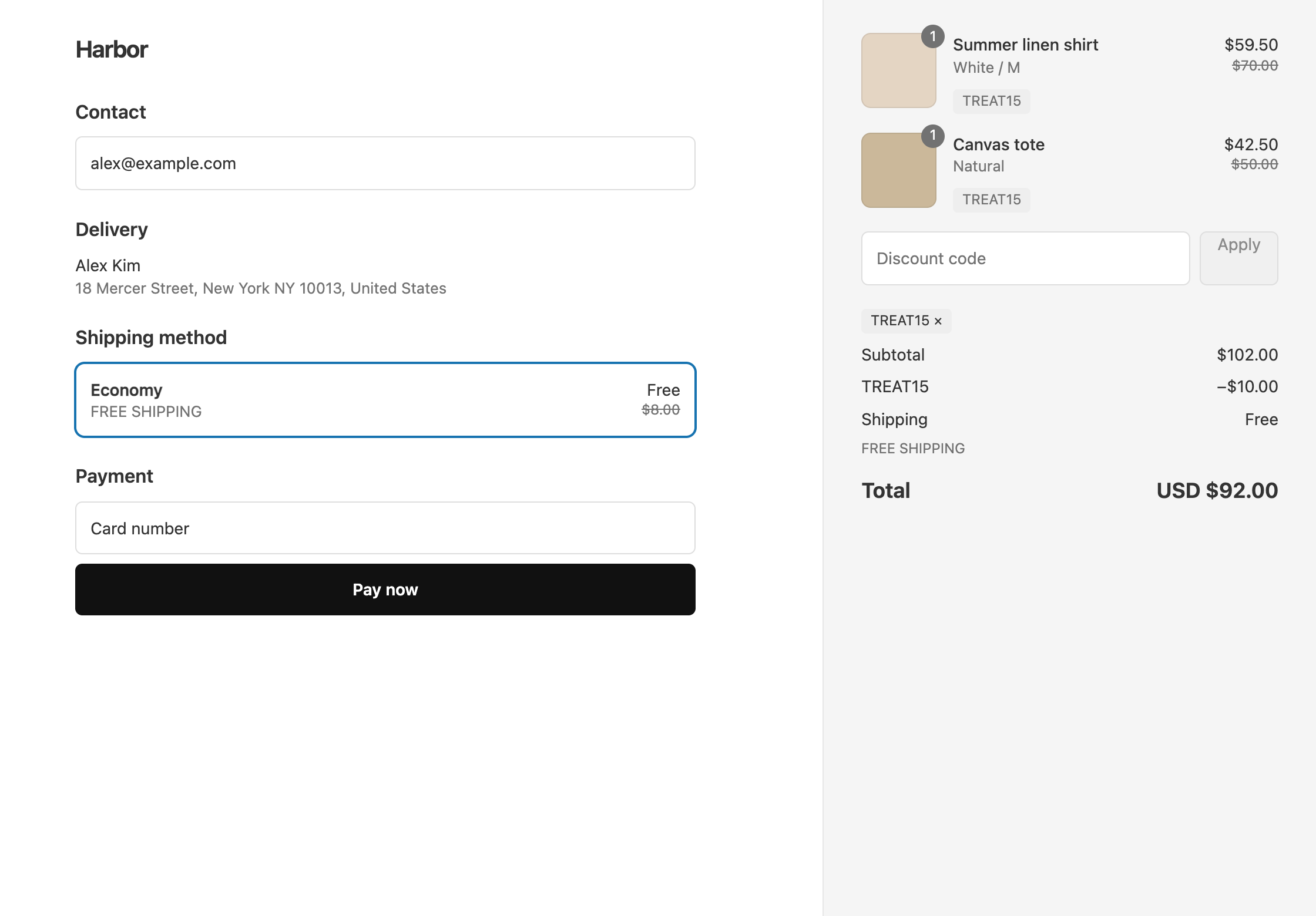
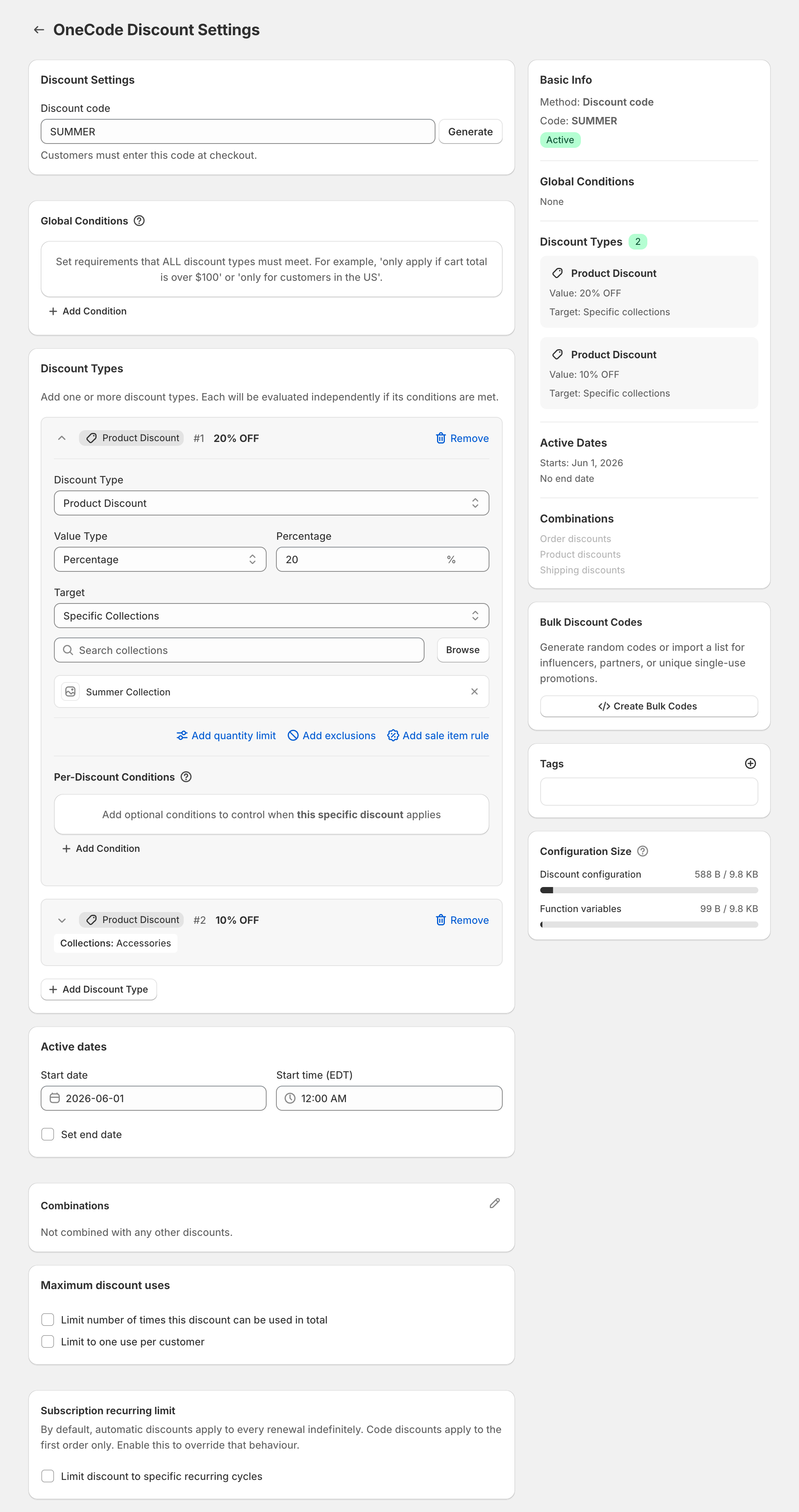
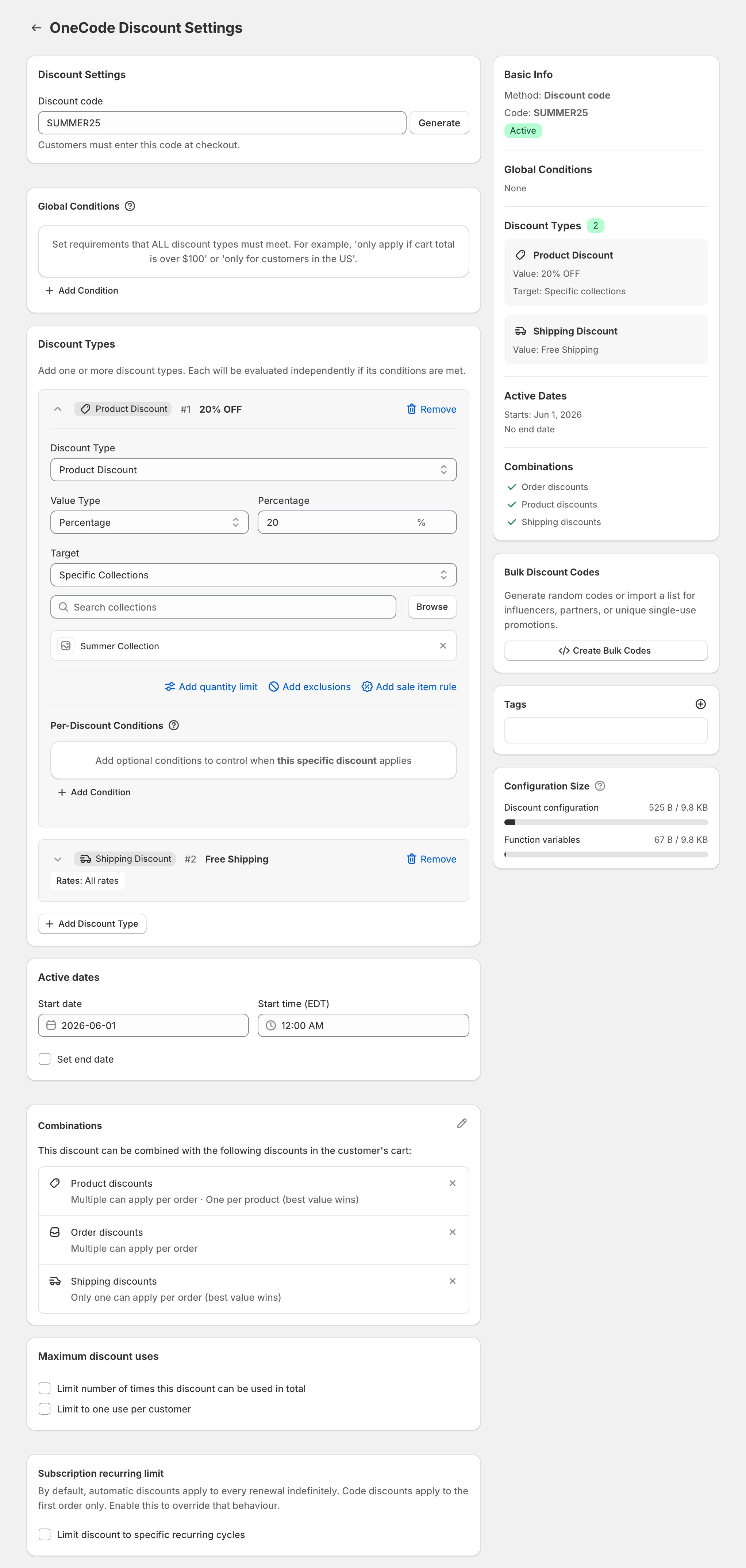
Shopify’s Claude connector makes a single percentage-off code. Use OneCode: Stackable Discounts when the same code also has to discount shipping, take a fixed amount off, or carry a second percentage. For example, “20% off and free shipping over $50” on an $80 cart saves $16 and ships free. The connector can create the 20% code but can’t add the free shipping to it. OneCode puts both on one code.
These are separate tools. OneCode has no Claude or ChatGPT integration, so Claude can’t create a OneCode discount. You build OneCode discounts in the app, or you ask Shopify Sidekick in your admin to fill in the OneCode form and then click Save.
What the connector creates
The connector’s code can apply to the whole store, specific products, or a collection, with a minimum purchase, a start date, and rules for who can use it. Shopify’s help center says the connector does not create fixed-amount discounts and does not change a code that already exists.
| You ask for | Claude connector | OneCode |
|---|---|---|
| “A 15% code called COZY15” | Yes | Yes |
| “20% off and free shipping over $50, one code” | No | Yes |
| “$10 off the order and free shipping” | No; no fixed amounts | Yes |
| “Change the code I made yesterday” | No | Yes, for OneCode discounts, in the editor or with Sidekick |
| “20% off Summer, 10% off Accessories” | Two codes, if it can target each collection | One code |
| “Buy 2 save 10%, buy 4 save 20%” | No | Yes |
| Cost | Your Claude plan; no extra Shopify fee for the connector, per Shopify’s help | $9.90 USD every 30 days |
When the offer has an “and”
If the offer continues with “and free shipping”, “and $10 off orders over $100”, or “and a different percent on the other collection”, you need OneCode. Once it is installed, Sidekick can fill in the form for you. See creating a OneCode discount with Sidekick.
OneCode costs $9.90 USD every 30 days after a 7-day free trial, billed by Shopify. Install it from the Shopify App Store.