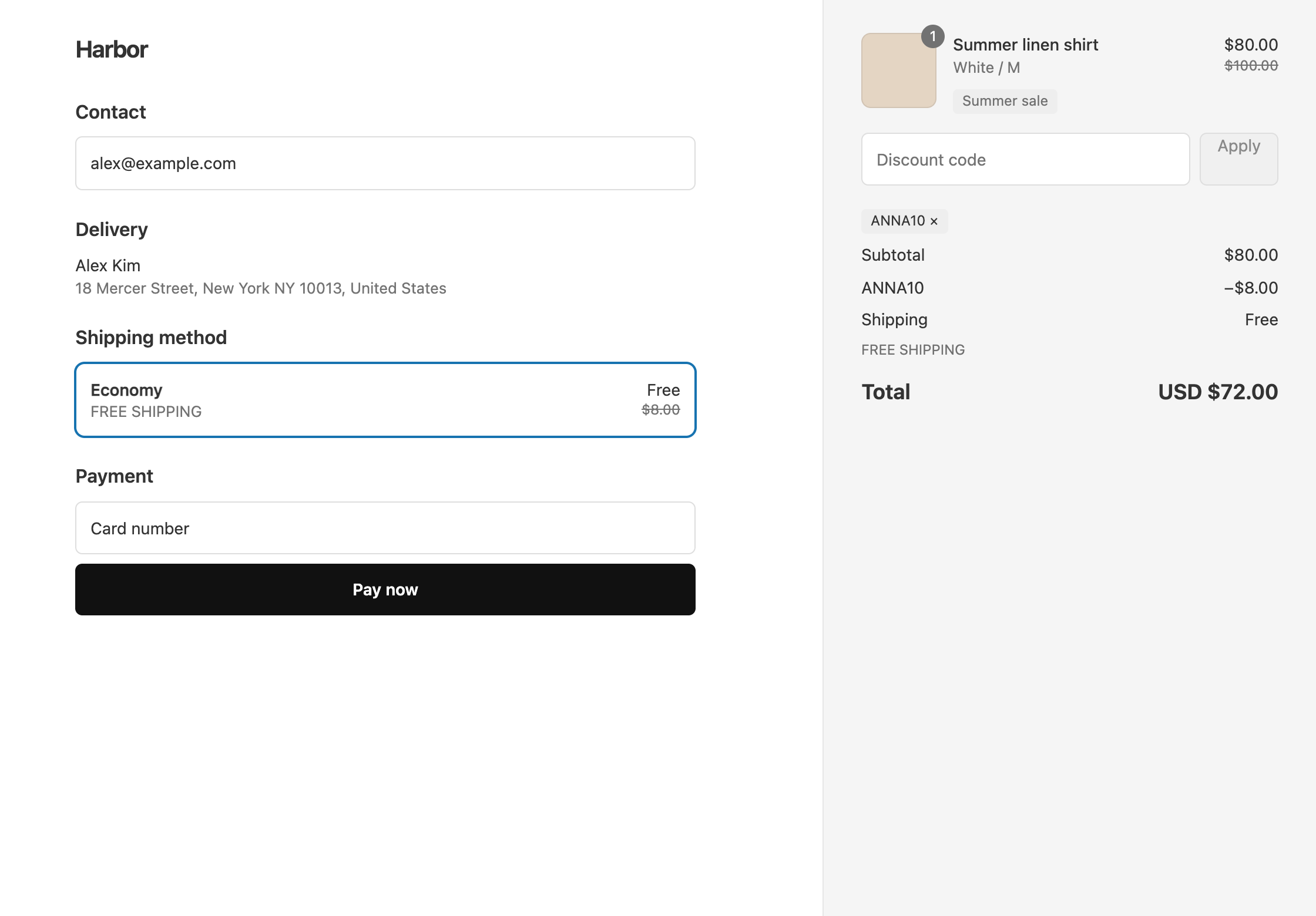
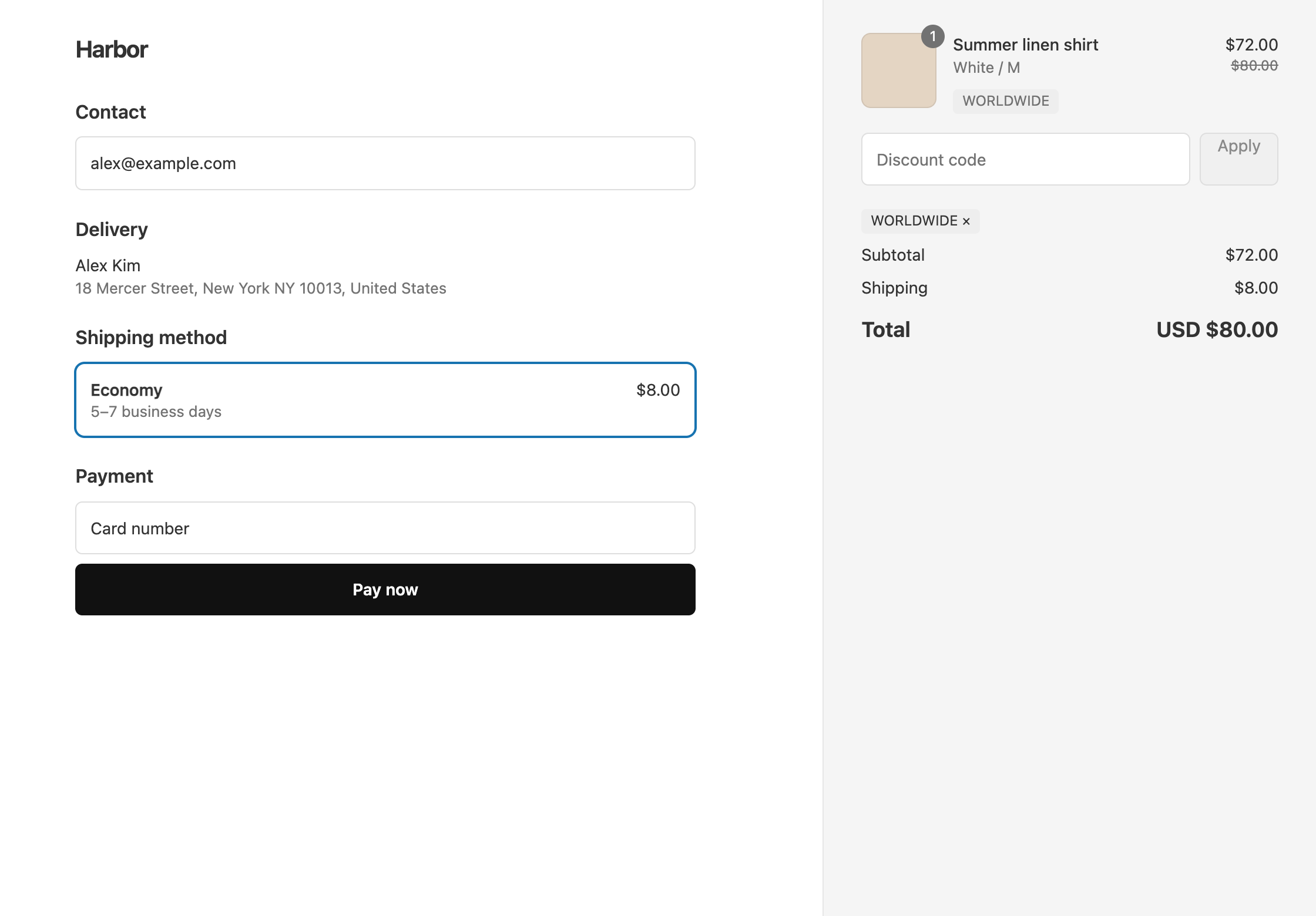
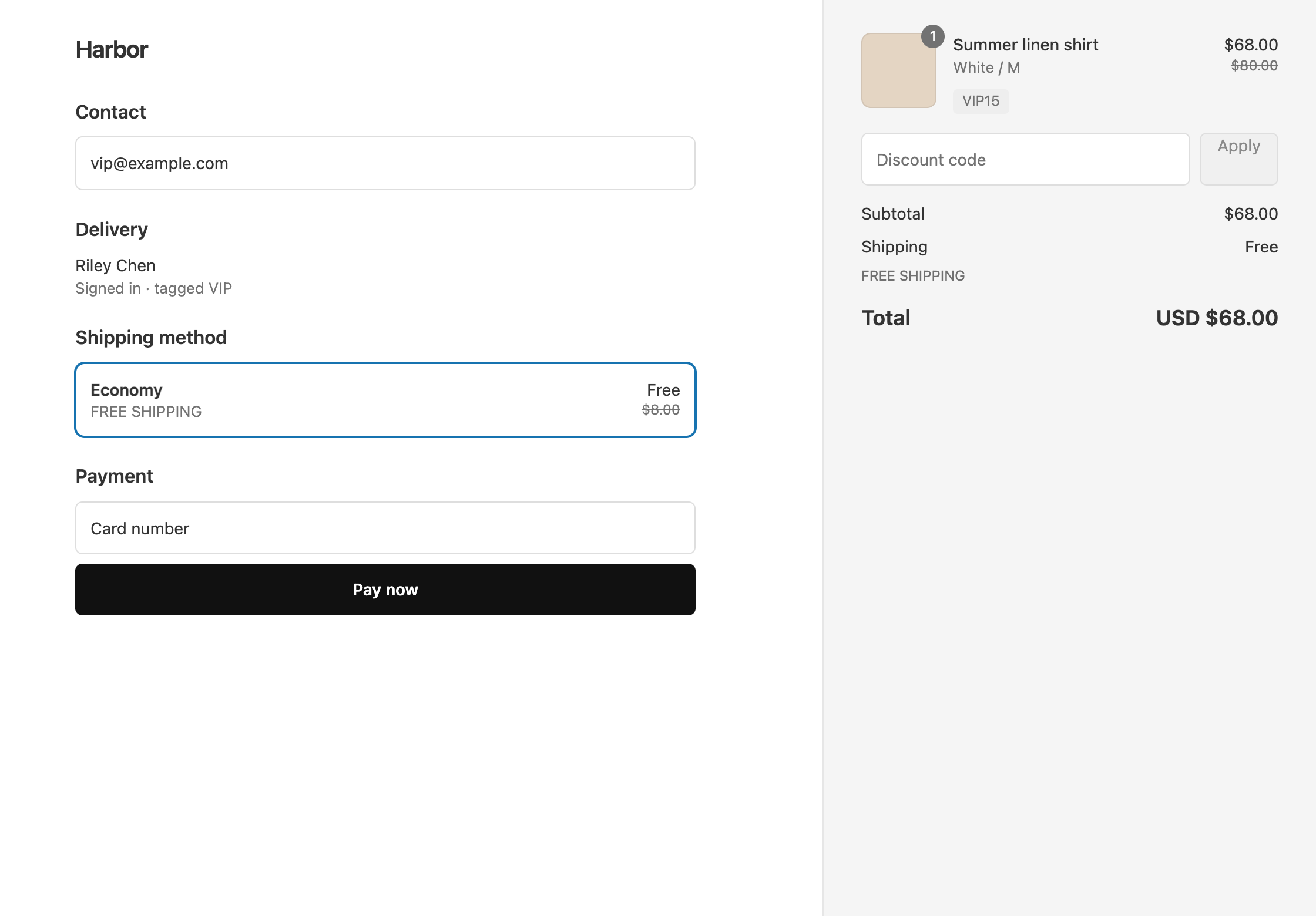
To give a discount only to customers tagged VIP, tag them VIP in Shopify, then create an automatic discount with the Global Condition Customer Tag Is one of VIP. Only logged-in customers with that tag get it, and they never have to type a code. Guests have no tags, so a VIP who checks out as a guest does not get the discount.
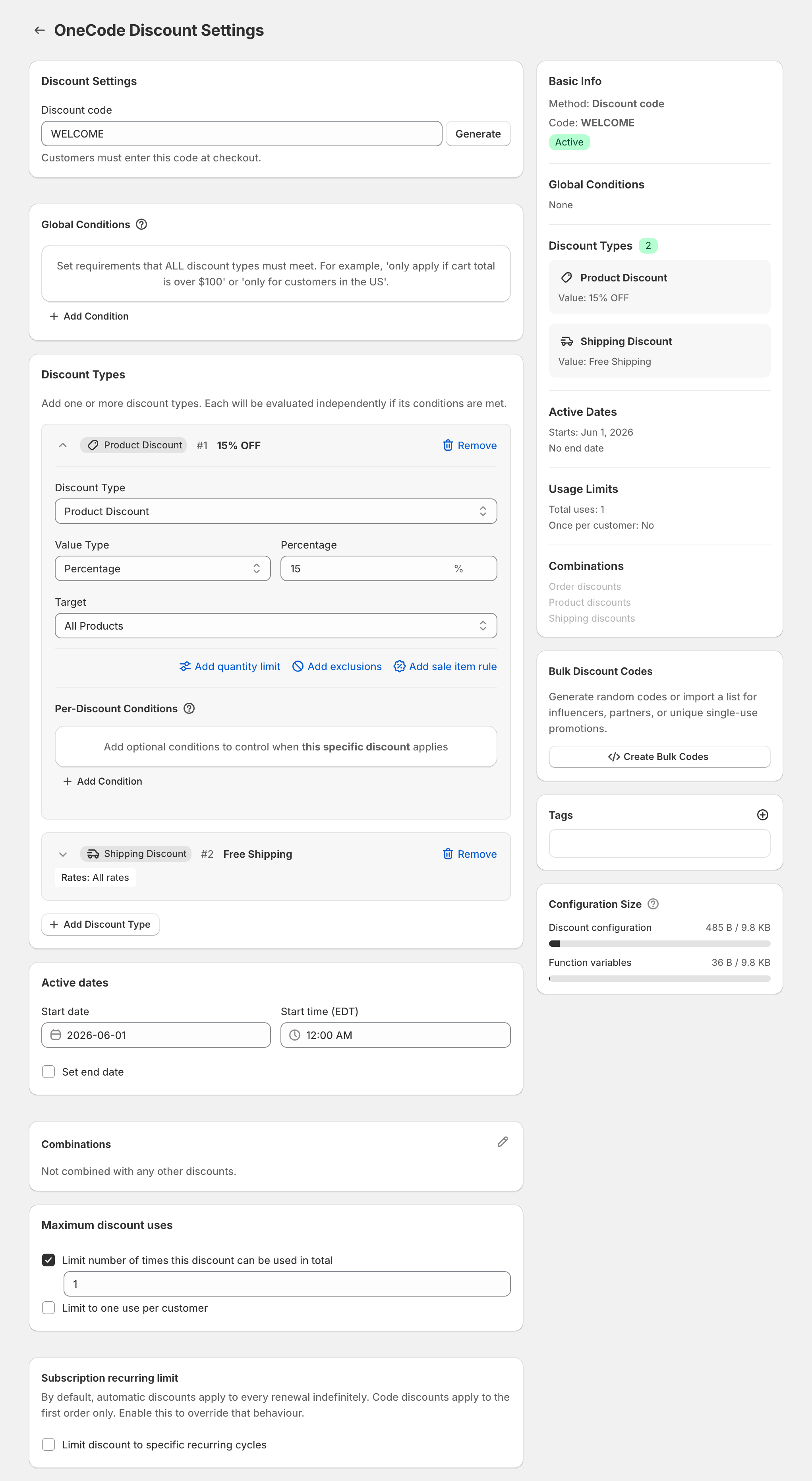
With OneCode: Stackable Discounts, that one automatic discount can hold several kinds of discount, for example 15% off products and free shipping.
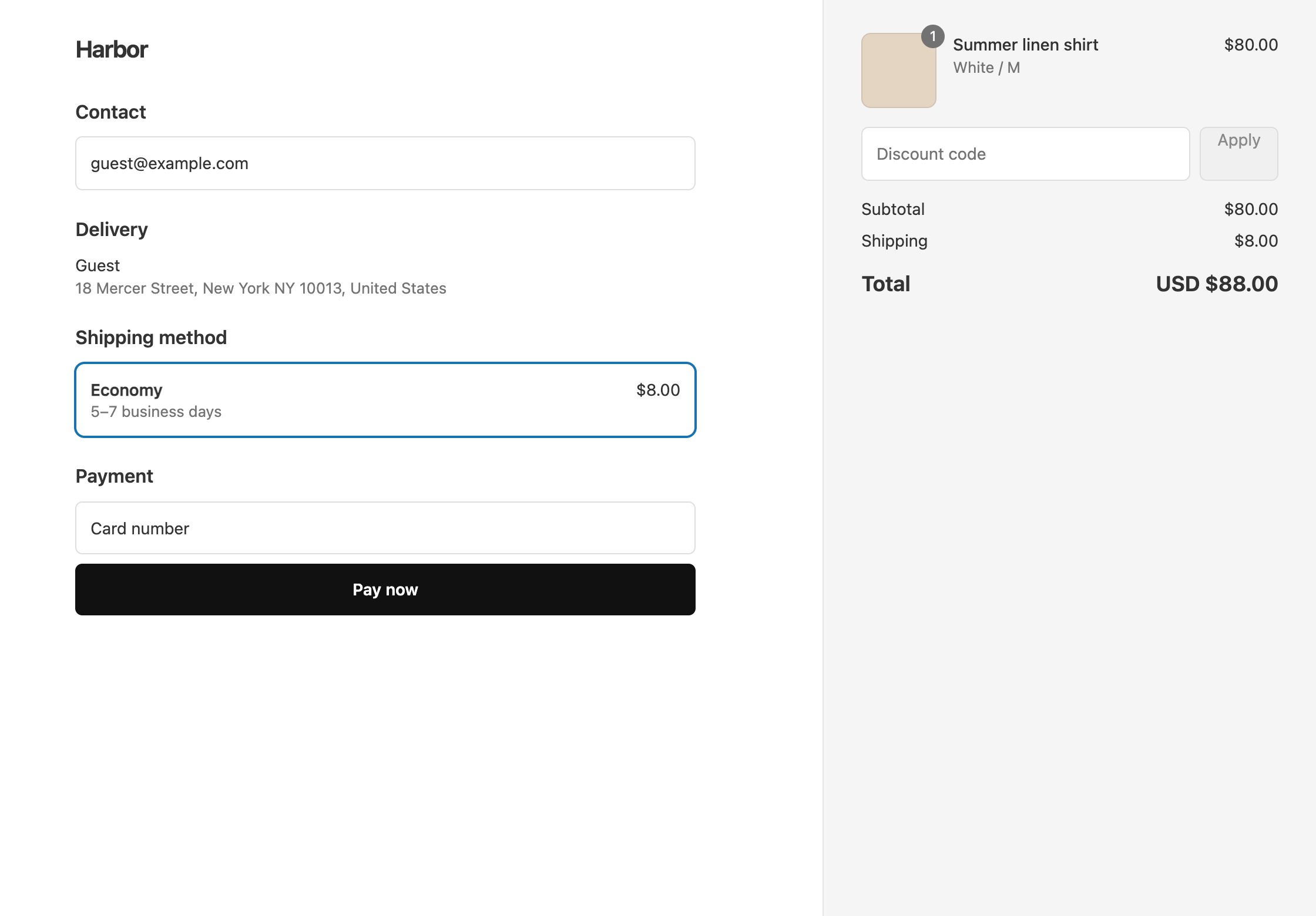
A logged-in VIP with an $80 cart saves $12 and gets free shipping, so they pay $68. The same person checking out as a guest pays $80 plus $8 shipping, $88 in total.
Set it up
- In Shopify admin, open each VIP customer and add the tag
VIP. - In OneCode, click Create discount and choose Automatic discount. Enter a Title such as
VIP15. Checkout shows the title as the label on the discounted items. Choose Discount code instead if you want VIPs to enter a code. - Under Global Conditions, click Add Condition. Set Field to Customer Tag, keep Is one of, and pick or type
VIP. - Click Add Discount Type and enter
15in Percentage, keeping Target as All Products. - Click Add Discount Type, set Discount Type to Shipping Discount, and keep Free Shipping.
- Click Save discount.
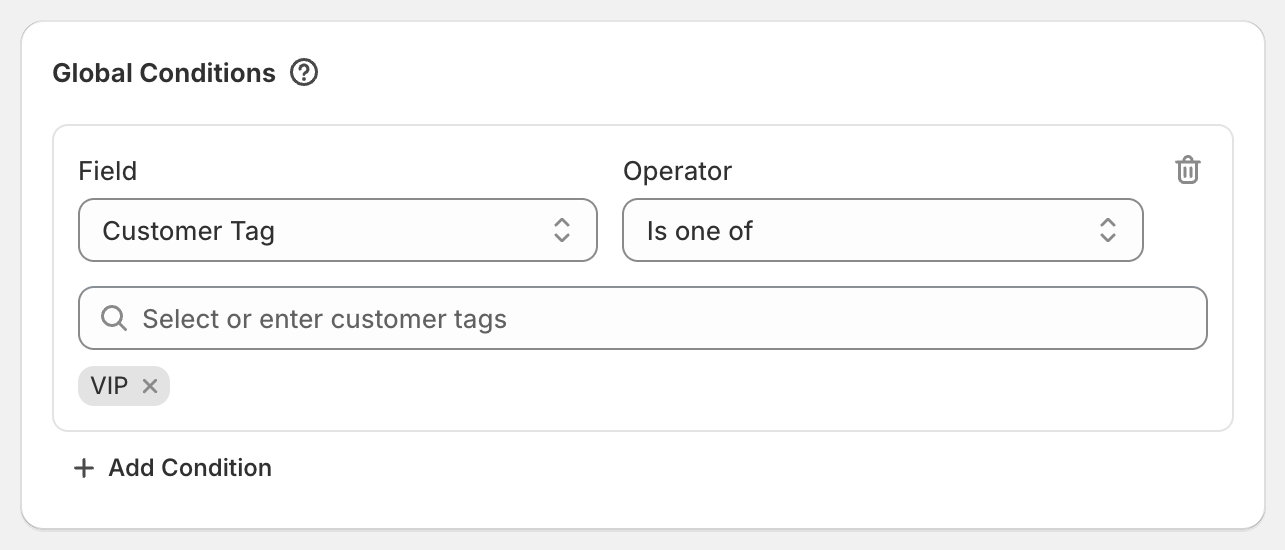
Every Global Condition must be met for anything on the discount to apply. A customer without the tag gets neither the 15% nor the free shipping.
The same setup works for other groups. Tag customers Wholesale, Staff, Student or Military and use that tag instead.
A bigger discount for VIPs, a smaller one for everyone
To give everyone 10% and VIPs 20%, leave out the Global Condition and add two product discounts to the same discount:
- A product discount of
10percent with no conditions. - A product discount of
20percent with the Per-Discount Condition Customer Tag Is one ofVIP.
VIPs get 20% and everyone else gets 10%. Each item gets the one product discount that saves the most, so VIPs get 20%, not 30%.
Everyone except one group
To give a discount to everyone except wholesale customers, use Customer Tag Is not one of Wholesale. Guests get this discount, because they have no tags.
VIPs who check out as guests
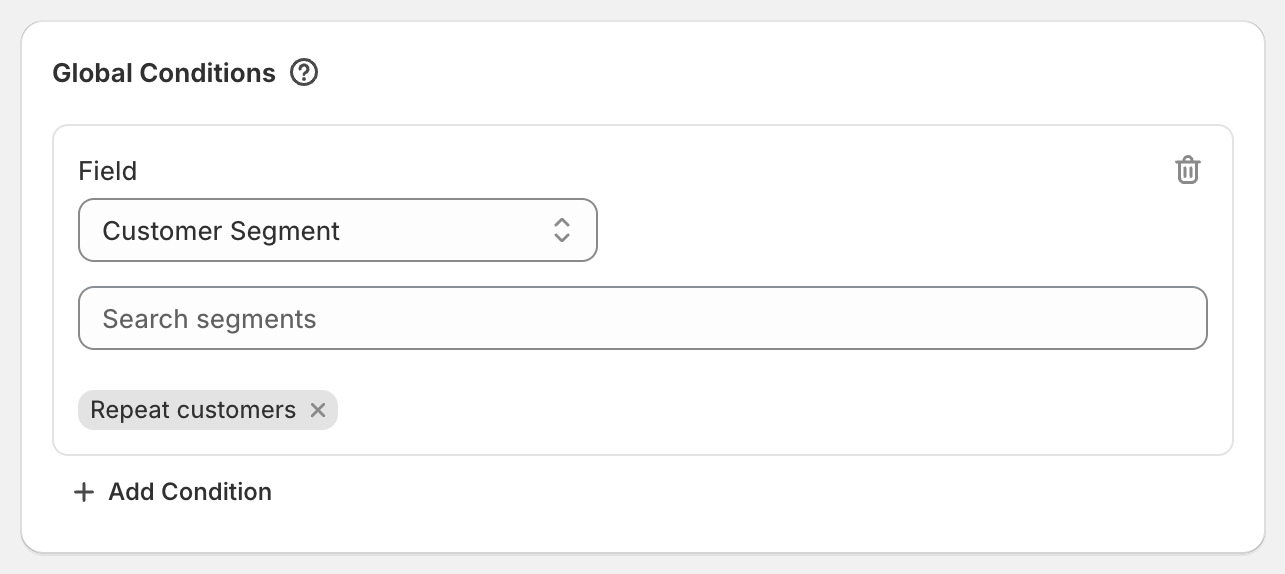
If your VIPs often check out without logging in, use a Shopify customer segment of your VIPs instead of a tag. Add the Global Condition Customer Segment and pick the segment. Shopify can match a segment by the email or phone number entered at checkout, not only by a logged-in account. Segments can only include customers. To leave a group out, use a tag with Is not one of.
OneCode costs $9.90 USD every 30 days after a 7-day free trial, billed by Shopify. Install it from the Shopify App Store.