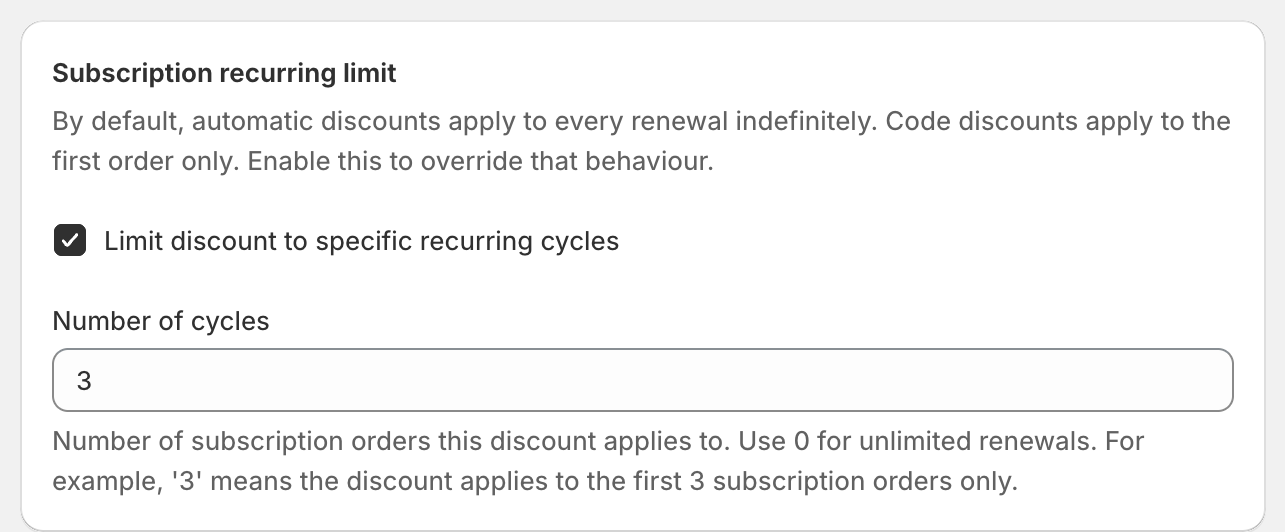
To discount only the first three subscription orders, tick Limit discount to specific recurring cycles on the discount and enter 3 in Number of cycles. The discount then applies to the first order and the next two renewals, and the customer pays full price from the fourth order. OneCode: Stackable Discounts has this setting on both codes and automatic discounts.
Without the setting, a code applies to the first subscription order only, and an automatic discount applies to every renewal.
Example: the code WELCOME20 gives 20% off with Number of cycles set to 3. A customer subscribes to a $30 monthly coffee with the code. They pay $24 for each of their first three orders, and $30 from the fourth order on.
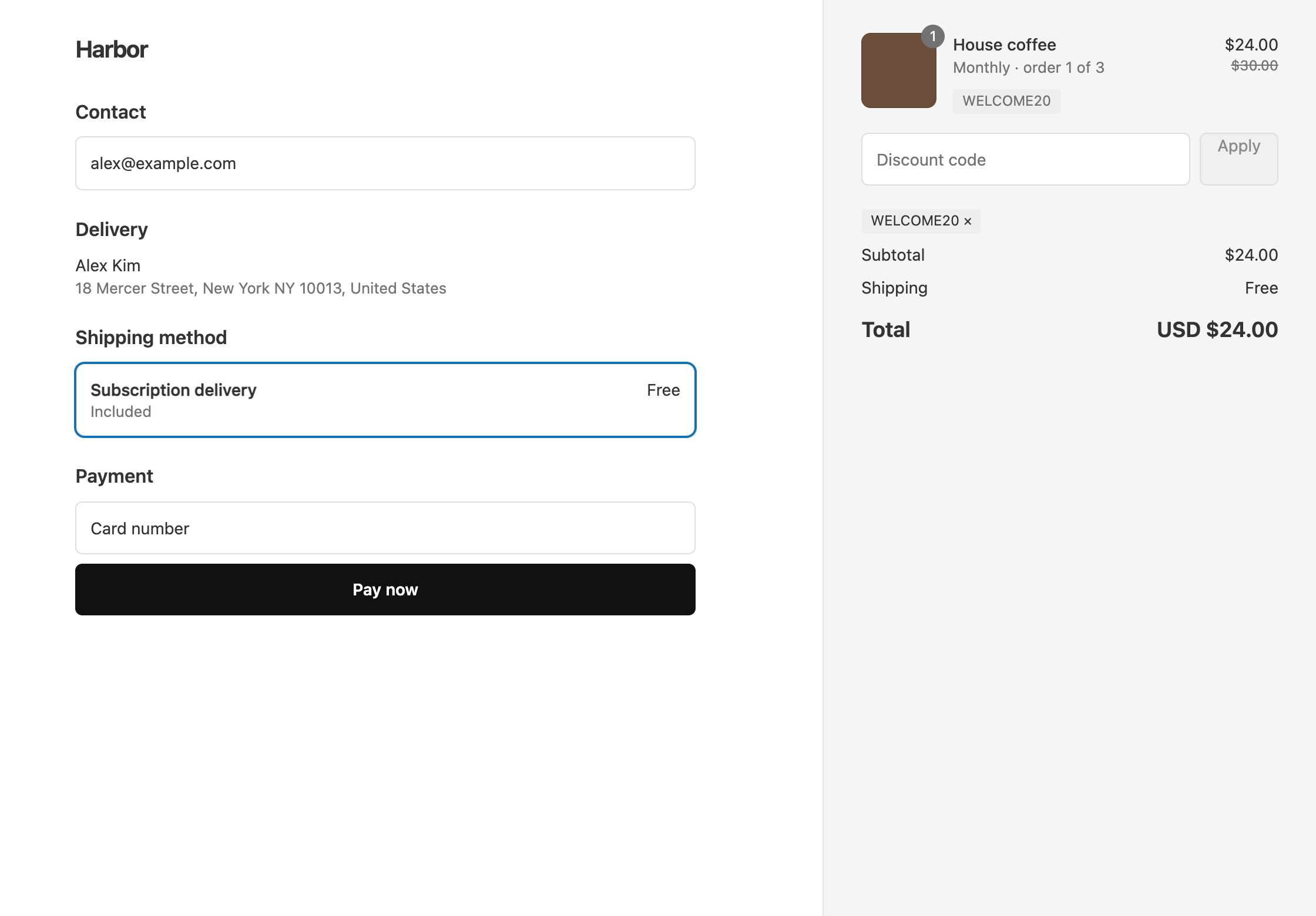
Set the number of cycles
- Open the discount, or create a new one with the discount types you want.
- In Subscription recurring limit, tick Limit discount to specific recurring cycles.
- In Number of cycles, enter how many subscription orders get the discount:
3covers the first three subscription orders, counting the first order.1covers the first order only.0covers every renewal, with no limit.
- Click Save discount.
If you tick the box and leave Number of cycles empty, the discount won’t save until you enter a number or untick the box.
You still need a subscription app to sell subscriptions. OneCode decides which subscription orders get the discount, and the subscription app creates those orders.
Leave subscription items out of a discount
To run a sale that skips subscriptions, open the product discount, click Add exclusions, and tick Exclude subscription items. One-time purchases still get the discount. Any item bought with a Shopify purchase option is left out, which includes subscriptions and preorders sold through purchase options.

Discount only subscription items
To discount a product only when it is bought as a subscription, open the product discount, click Add Condition under Per-Discount Conditions, and set Field to Item has subscription, Operator to Is, and Value to Yes. One-time purchases of the same product stay at full price.
OneCode costs $9.90 USD every 30 days after a 7-day free trial, billed by Shopify. Install it from the Shopify App Store.