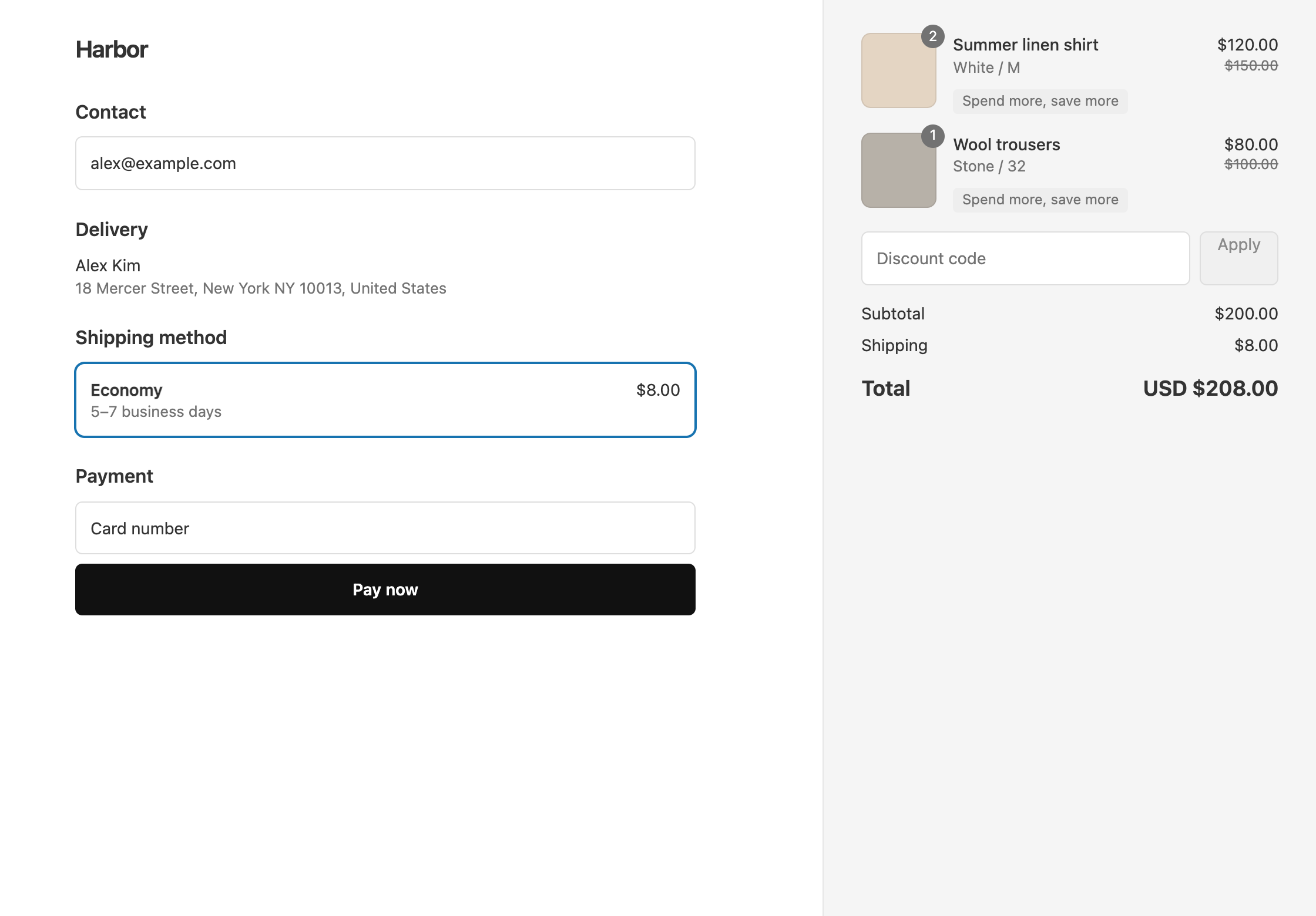
Each Shopify discount has one value, so this ladder normally takes three separate discounts. With OneCode: Stackable Discounts, all three tiers go in one automatic discount, or one code. You add three product discounts, at 10%, 15% and 20%, that need at least 2, 3 and 4 items in the cart. Each item gets the best tier the cart reaches, so four items get 20% off, not 10% + 15% + 20% = 45%.
What the customer gets
With shirts at $25 each:
- One shirt pays $25. No tier starts at one item.
- Two shirts ($50) get 10% off and pay $45.
- Three shirts ($75) get 15% off and pay $63.75.
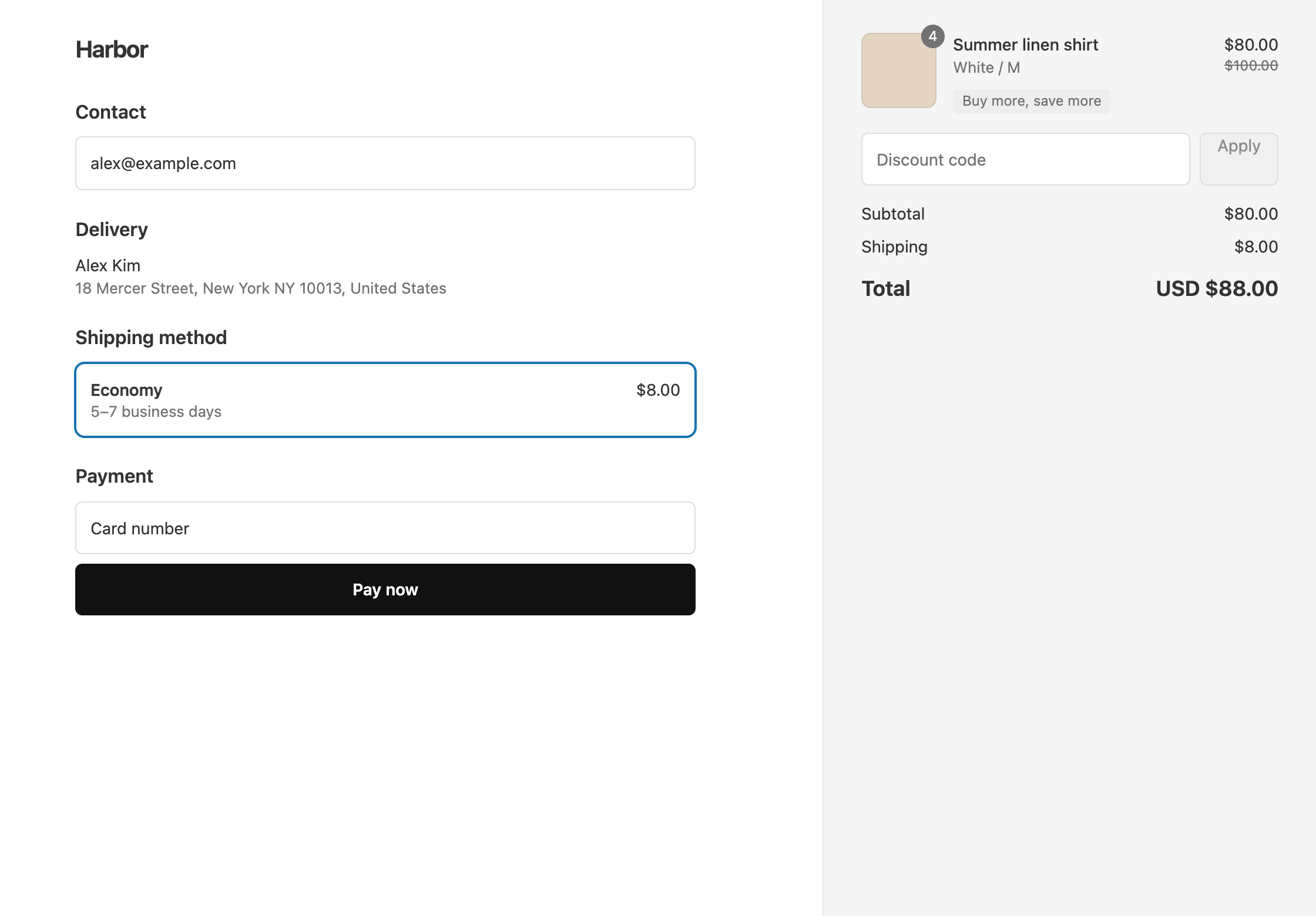
- Four shirts ($100) get 20% off and pay $80.
Two of the same product count as two items.
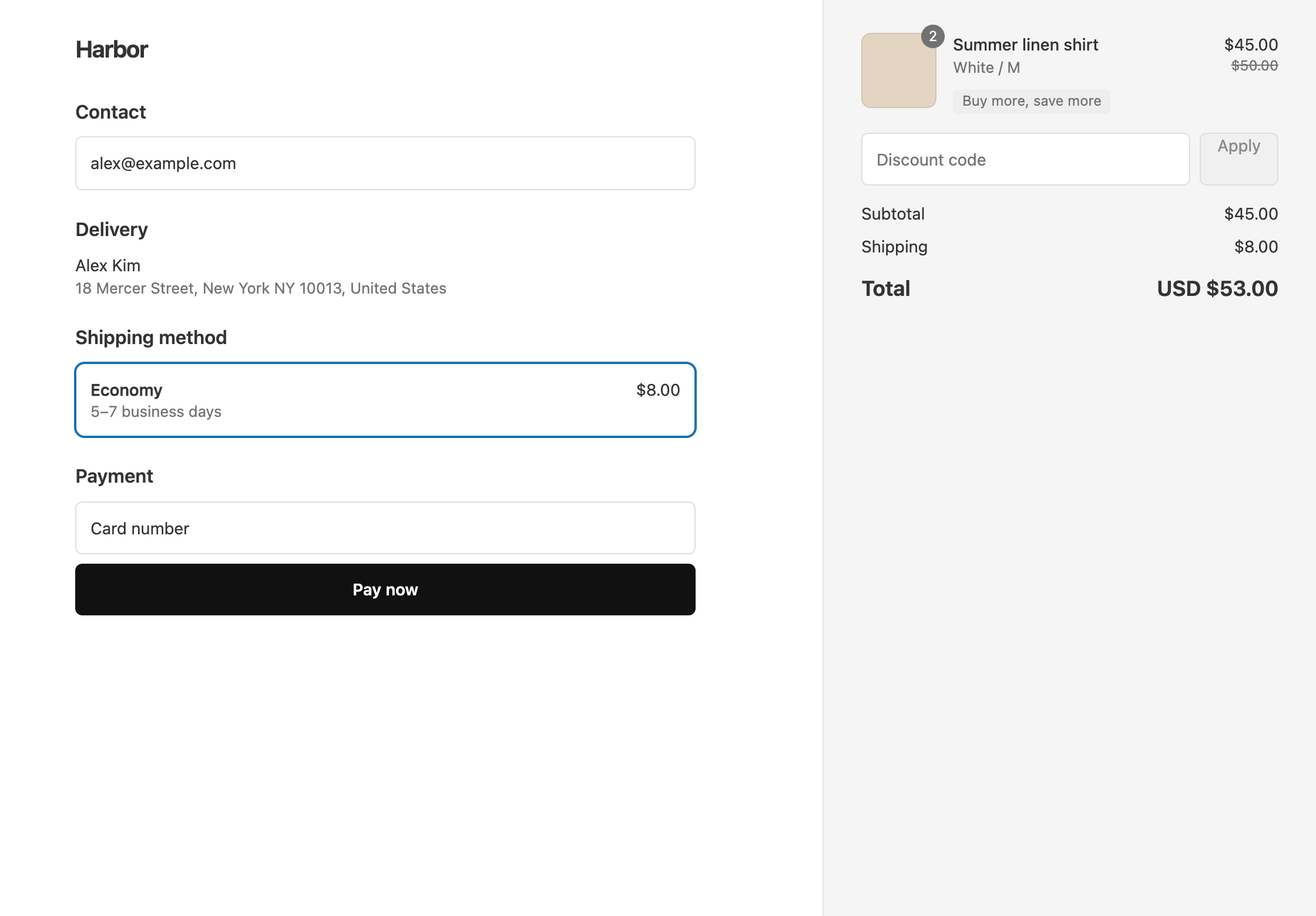
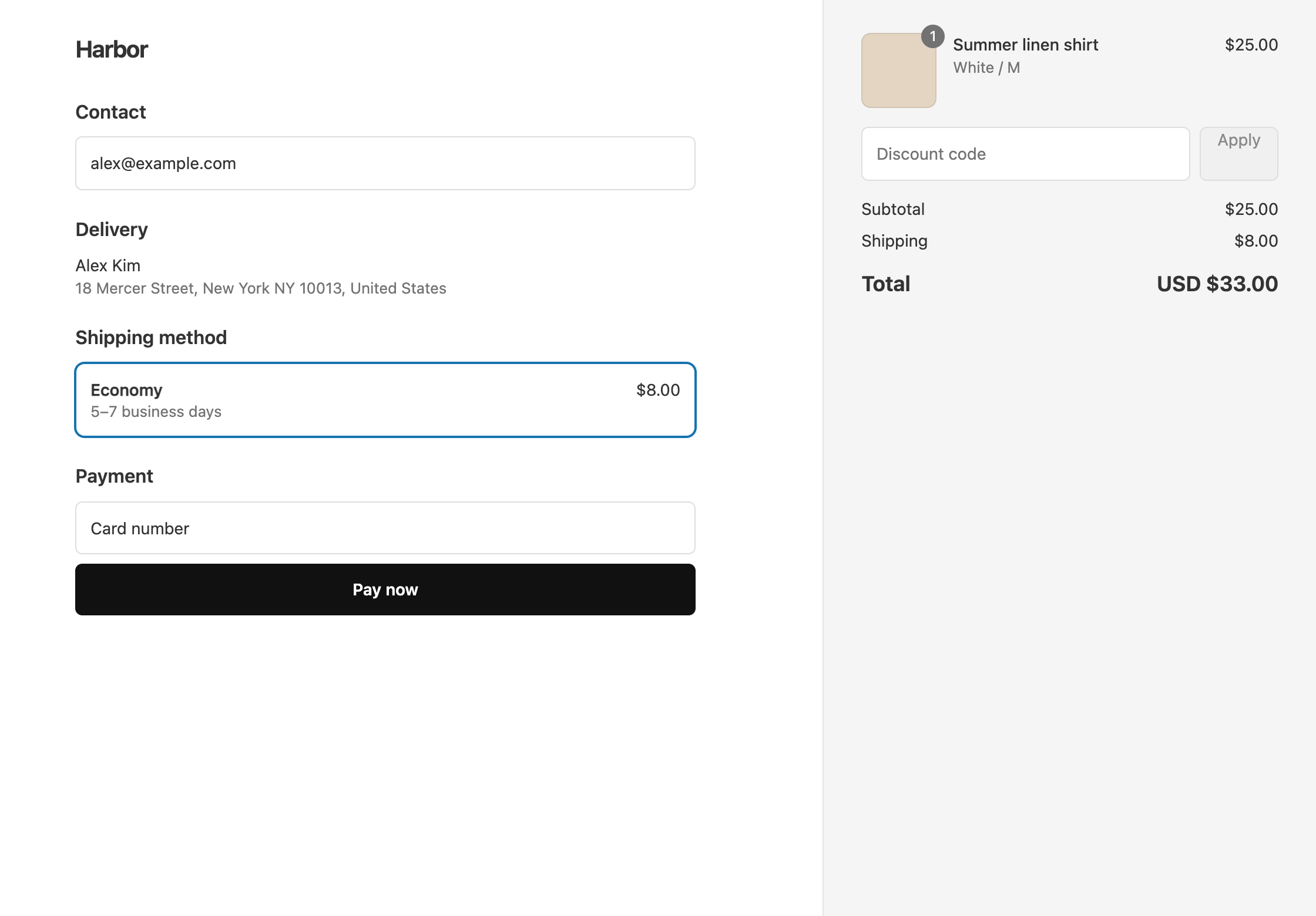
Set it up
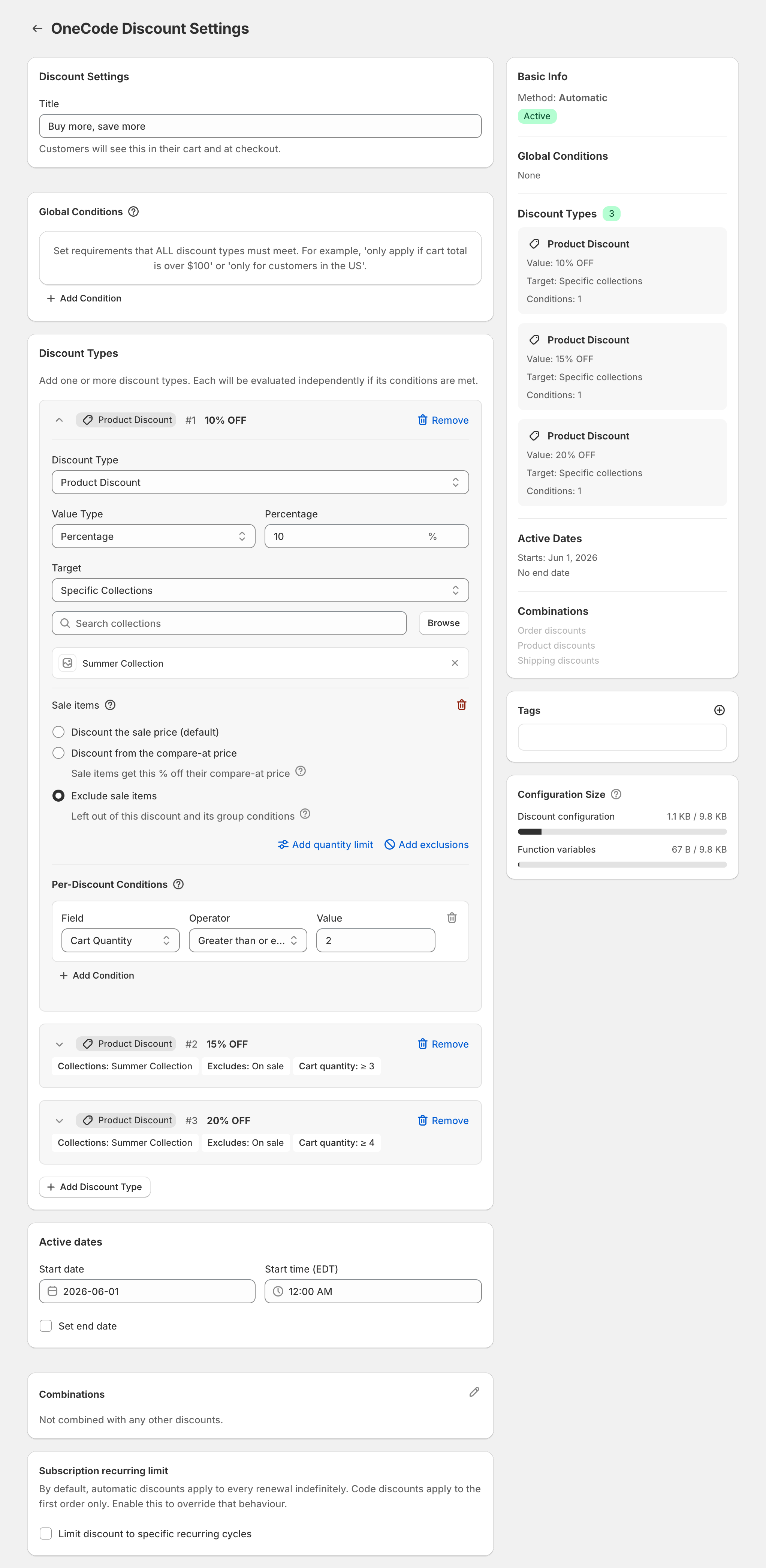
- In OneCode, click Create discount and choose Automatic discount. Enter the Title
Buy more, save more. Customers see the title next to the discounted items. Choose Discount code instead if customers should type a code. - Click Add Discount Type. Leave it as a Product Discount, and enter
10in Percentage. Set Target to Specific Collections and pick the collection, or keep All Products. - Under that discount type’s Per-Discount Conditions, click Add Condition. Set Field to Cart Quantity, Operator to Greater than or equal to and Value to
2. - Optional: to keep sale items at their sale price, click Add sale item rule and choose Exclude sale items.
- Add a second product discount the same way, with
15and Cart Quantity at least3. - Add a third, with
20and Cart Quantity at least4. - Click Save discount.
Give every tier the same Target and the same sale item rule. Only the percentage and the quantity change. A sale item rule on one tier doesn’t carry over to the others.
Which items count toward the tier
- Cart Quantity counts every item in the cart, including items from other collections and sale items. A customer with one Summer shirt and three candles reaches the 4-item tier, and the shirt gets 20% off.
- Group Quantity counts only the items that discount type targets, after any exclusions. Use it when only items from the collection should count, for example “buy 3 Summer items”.
With Cart Quantity and sale items excluded, a customer with three full-price items and one sale item reaches the 4-item tier. The three full-price items get 20% off, and the sale item stays at its sale price.
To give a fixed amount instead of a percentage, set Value Type to Fixed Amount. The amount comes off each item, so 5 at 2 or more takes $5 off every qualifying item.
For tiers based on how much the customer spends, see spend more, save more. For buy one, get one free, see BOGO.
OneCode costs $9.90 USD every 30 days after a 7-day free trial, billed by Shopify. Install it from the Shopify App Store.