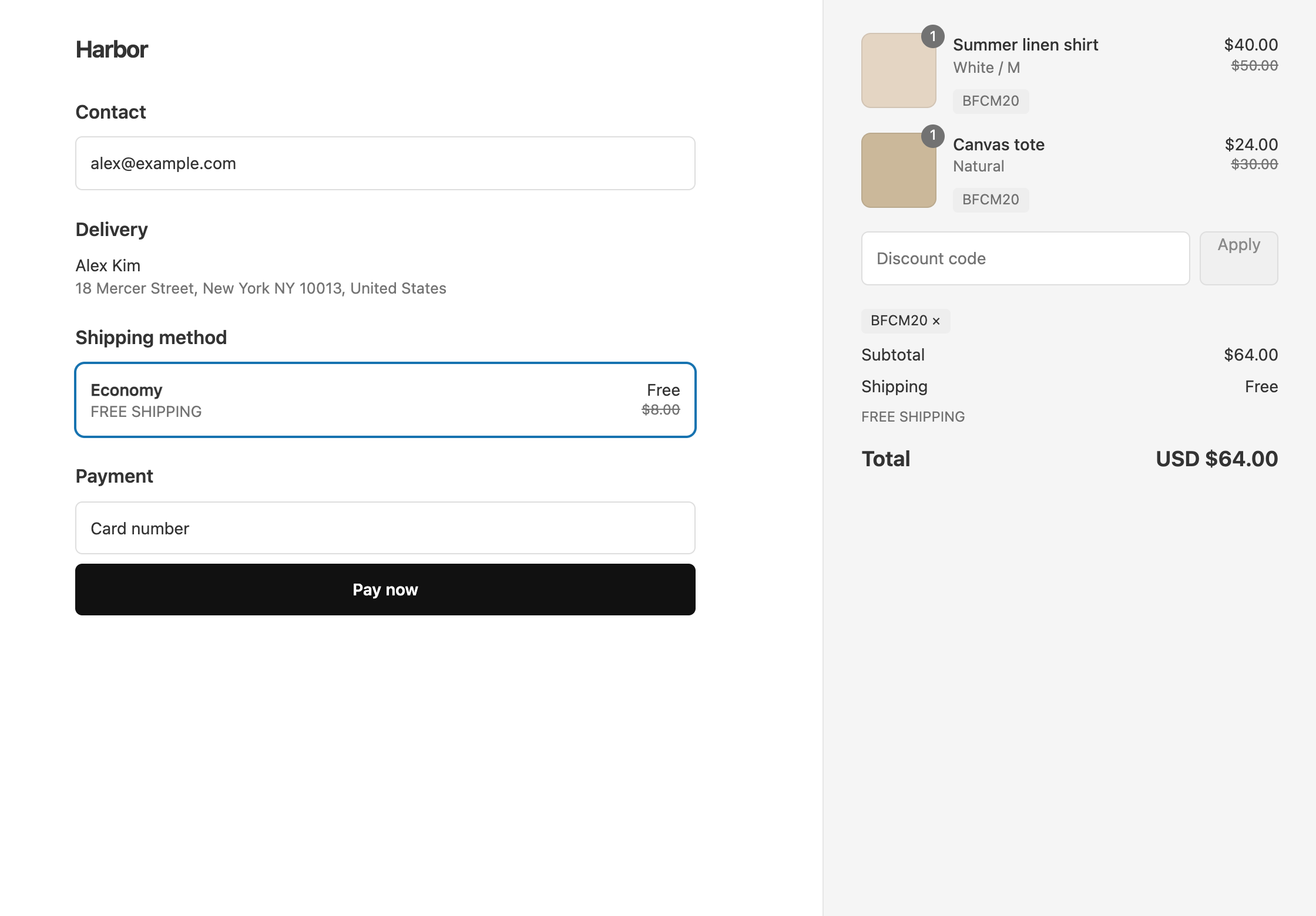
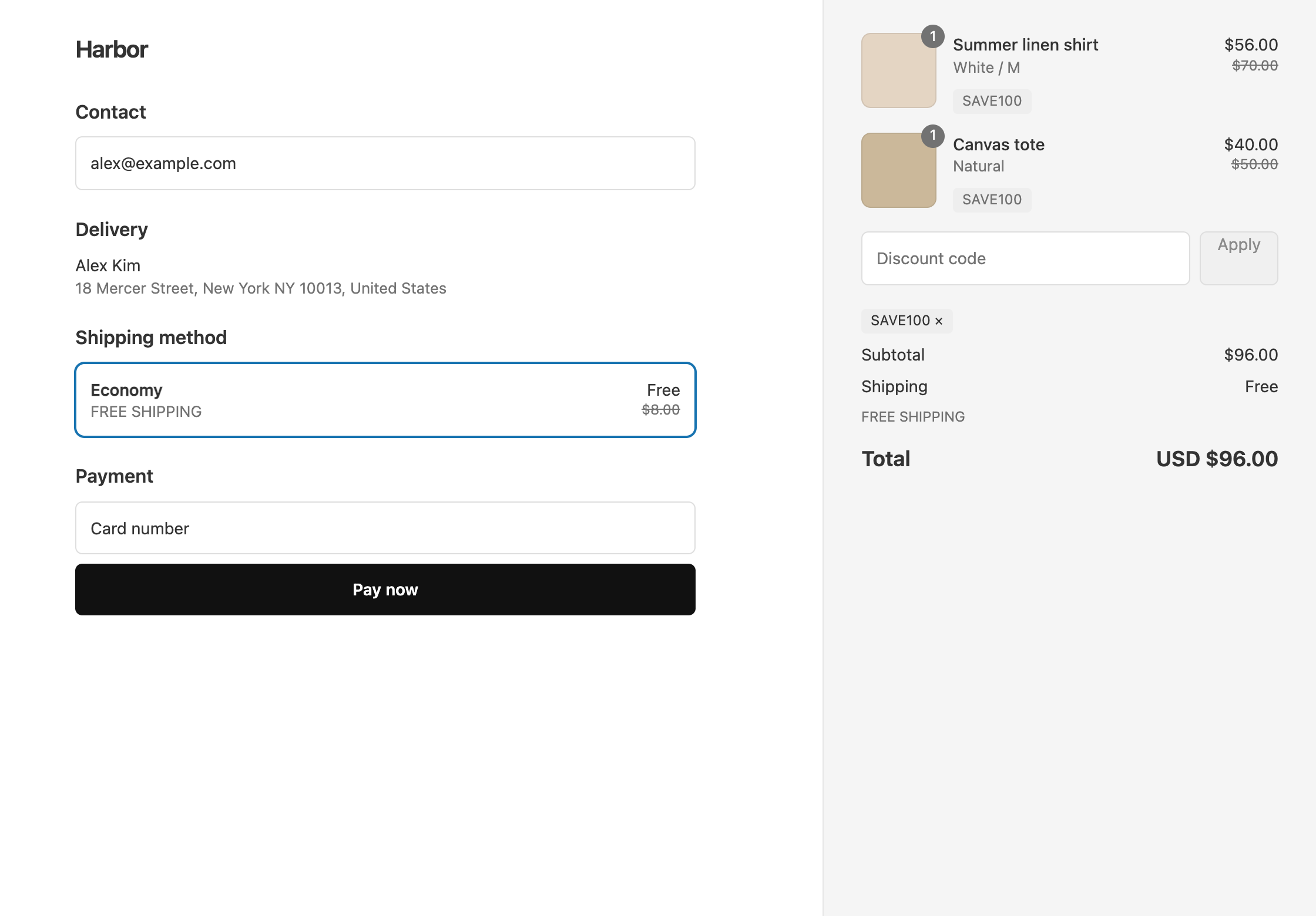
To give free or cheaper shipping only when another discount applies, put both offers in one discount in OneCode: Stackable Discounts. Add the product or order discount, add a shipping discount, and give the shipping discount the condition Match Another Discount’s Rules. Shipping is then discounted only when the discount it follows applies to the cart. This works with discount types inside the same OneCode discount, not with a separate discount.
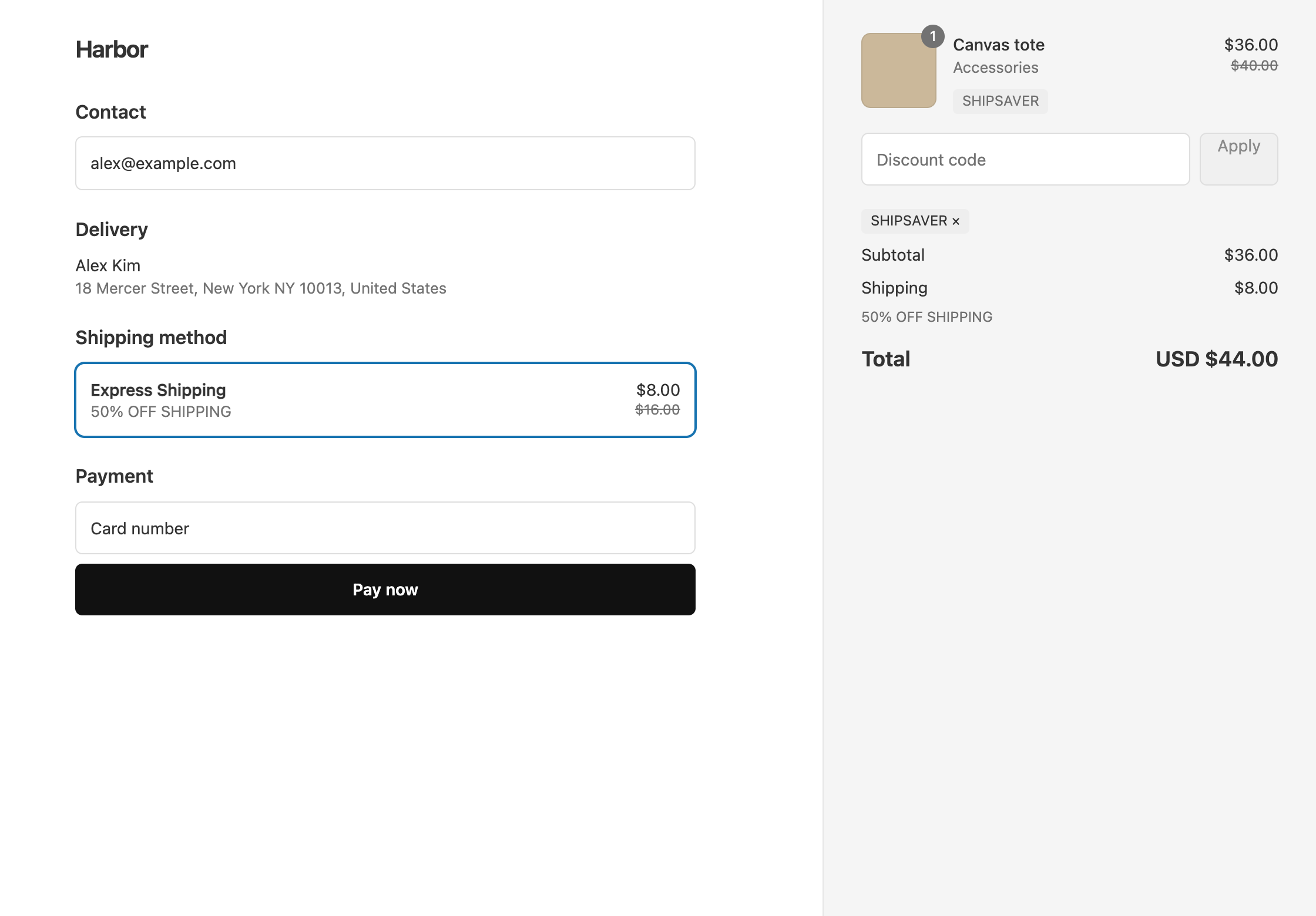
Example: the code SHIPSAVER gives 10% off the Accessories collection, and half-price Express Shipping only when the cart has accessories. A customer with a $40 tote pays $36 for it, and their $16 Express Shipping rate drops to $8. A customer with no accessories gets no product discount and pays the full $16 for Express Shipping.
Set it up
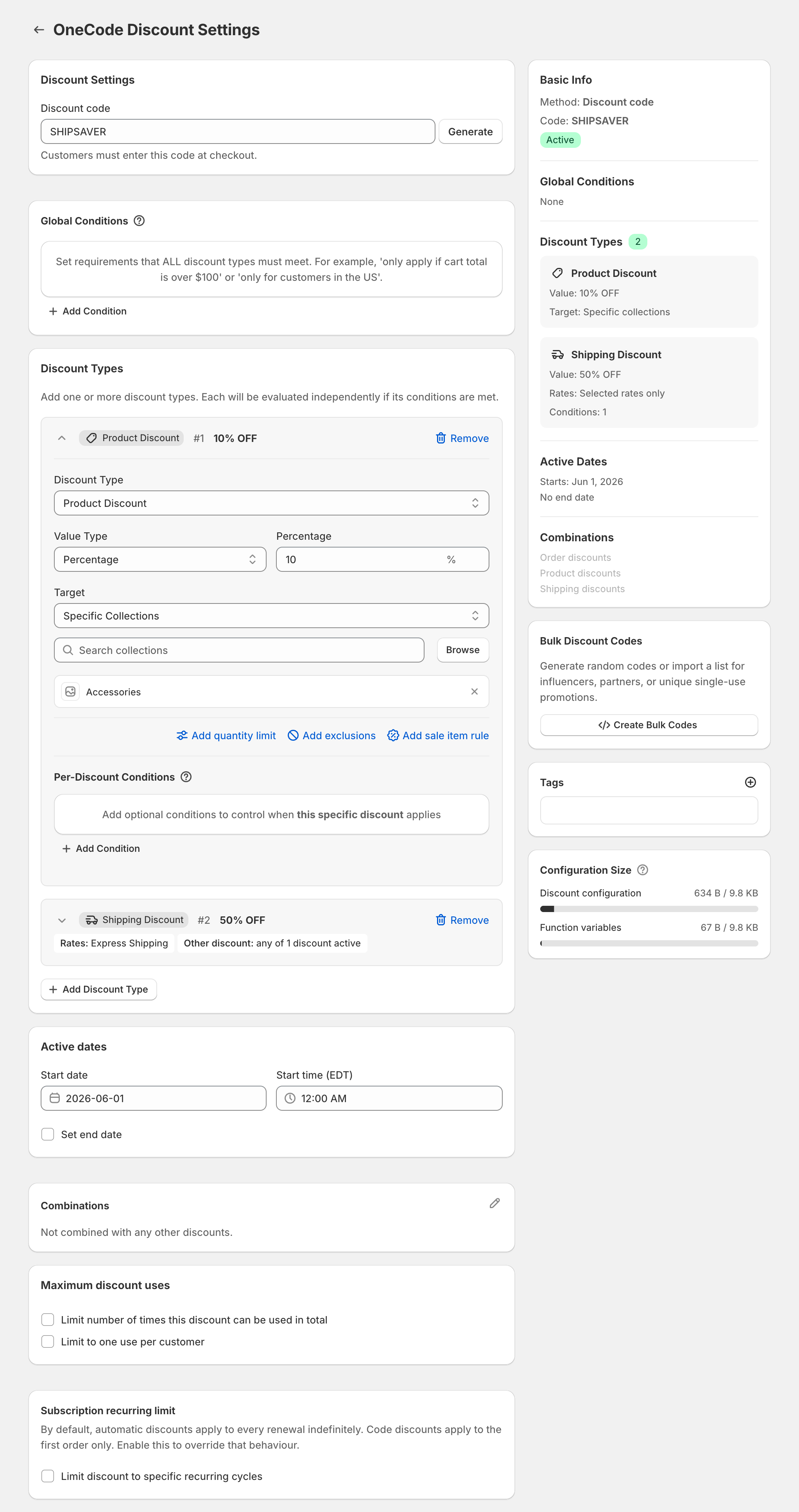
- In OneCode, click Create discount and enter the code
SHIPSAVER. - Click Add Discount Type. Keep Product Discount and Percentage, and enter
10in Percentage. - Set Target to Specific Collections, click Browse, and pick Accessories.
- Click Add Discount Type again and set Discount Type to Shipping Discount. Set Value Type to Percentage and enter
50. - Set Rate Selection to Select Rates. Under Shipping rate name, add
Express Shipping. Copy the rate name exactly as customers see it at checkout, because the whole name has to match. - Under the shipping discount’s Per-Discount Conditions, click Add Condition, set Field to Match Another Discount’s Rules, and tick the 10% Accessories discount.
- Click Save discount.
Without step 6, Express Shipping would be half price on every cart that uses the code, including carts with no accessories.
How the shipping discount decides
The shipping discount applies when the discount it follows would apply to the cart. For a product discount, that means the cart has at least one item it targets that is not excluded, and its Per-Discount Conditions are met. If you later change the product discount’s collection or conditions, the shipping discount follows the change without any edits.
You can tick more than one discount. Shipping is then discounted when any of the ticked discounts applies.
You can also follow an order discount. For example, a code with $10 off orders over $100 can give free shipping only on the orders that qualify for the $10.
Plain free shipping instead
For free shipping on every rate, set Value Type to Free Shipping and leave Rate Selection on All Rates. Skip the rate name.
If the customer also has a separate free shipping discount from Shopify or another app, Shopify applies only one shipping discount per order across separate discounts, and keeps the one that saves more.
OneCode costs $9.90 USD every 30 days after a 7-day free trial, billed by Shopify. Install it from the Shopify App Store.