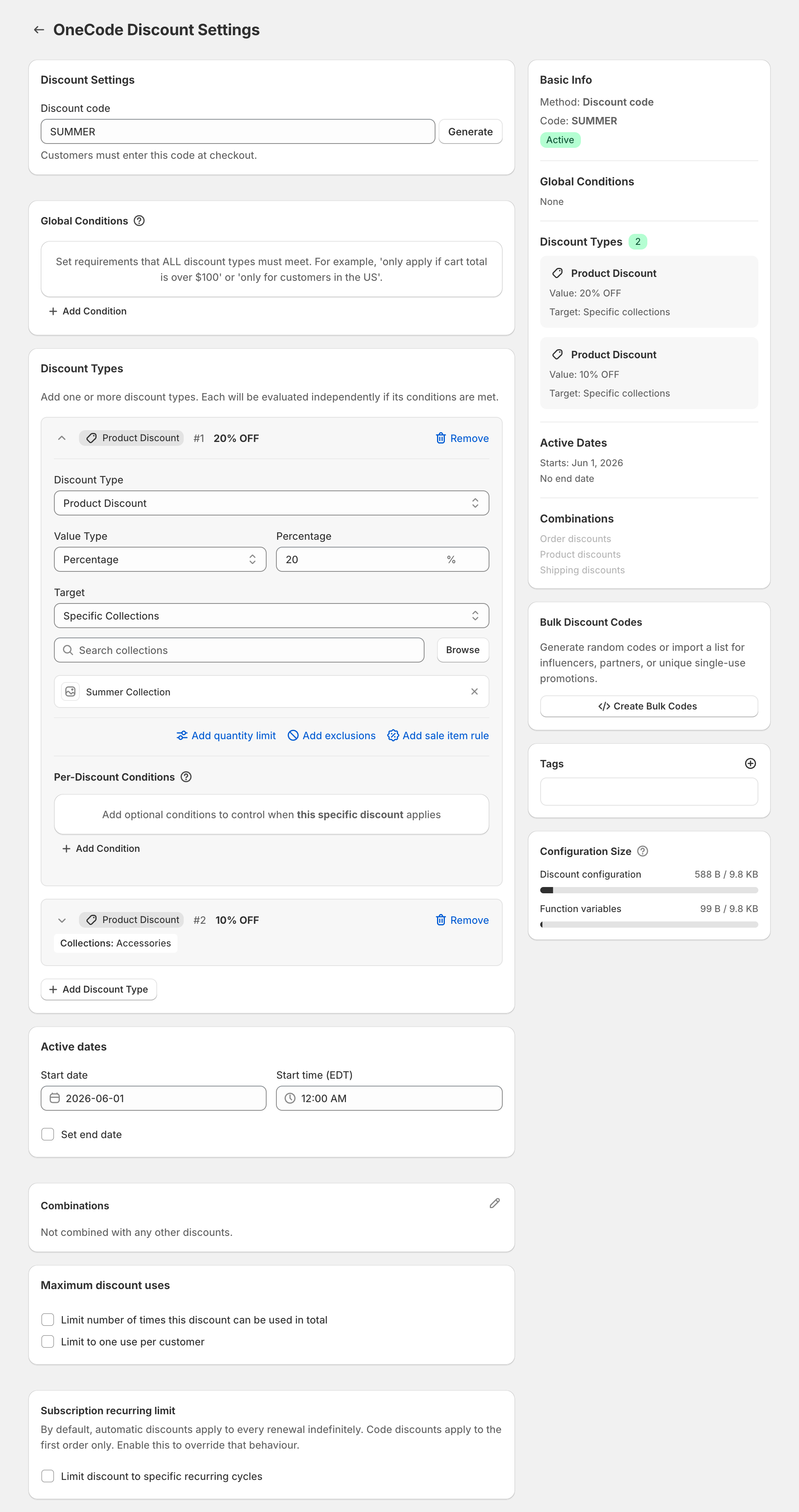
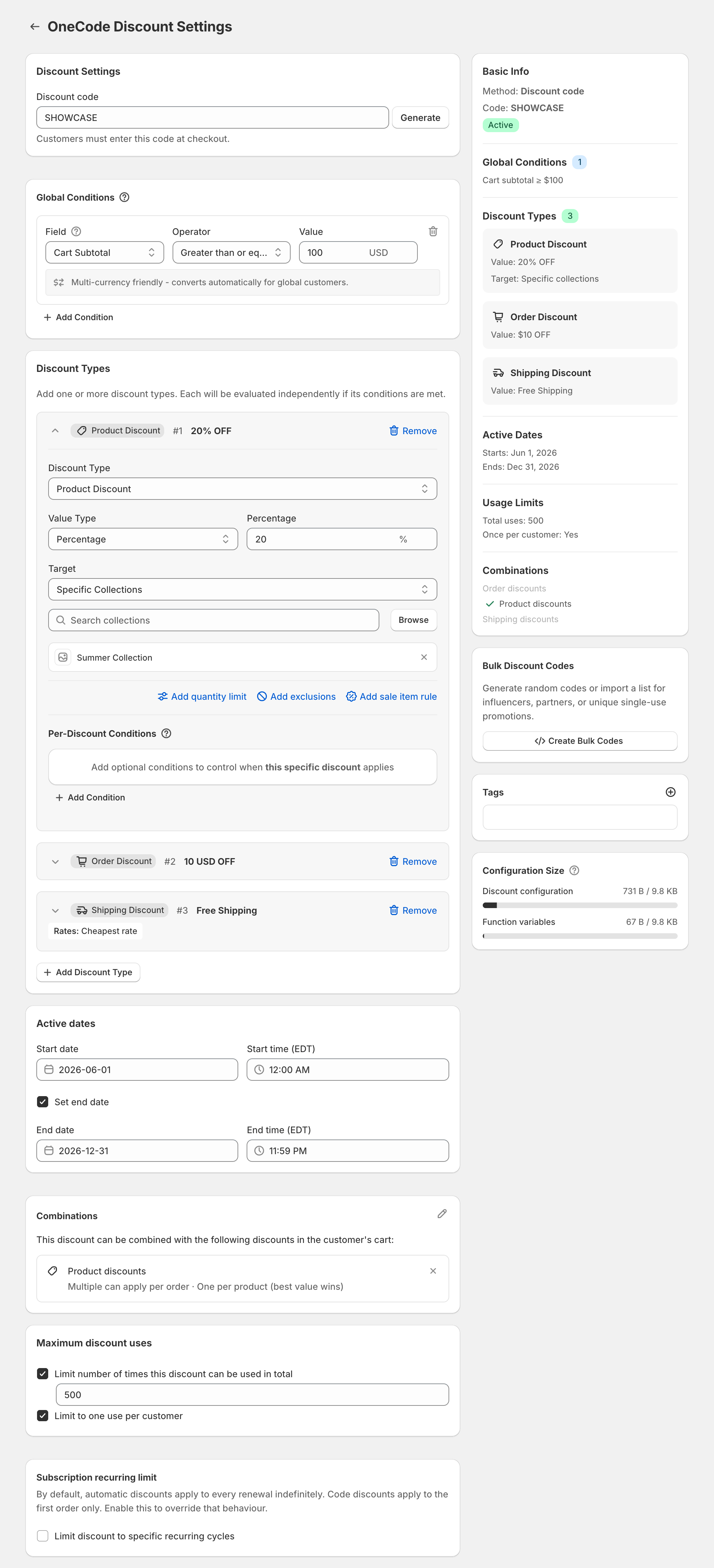
Claude can create a percentage-off Shopify discount code through Shopify’s Claude connector, but it can’t add free shipping to it. Shopify’s help page “Shopify connector for Claude” says the connector’s create-discount action makes a percentage-off code. It doesn’t put free shipping on that code, it doesn’t create fixed-amount discounts, and it doesn’t change codes that already exist. To give customers 20% off and free shipping with one code, use OneCode: Stackable Discounts, which puts both on the same code. OneCode doesn’t connect to Claude. You set the discount up in Shopify admin yourself, or ask Shopify Sidekick to fill in the form for you.
What the connector can do
According to Shopify’s help page, you give the connector a code name and a percentage. The discount can apply to the whole store, to specific products, or to a collection, with a minimum purchase, a start date, and rules for who can use it. It handles prompts like these:
- “Make a 15% off code called COZY15.”
- “15% off the Summer collection, minimum purchase $40, starting Friday.”
Offers that need OneCode
A Shopify discount code holds one kind of discount: a product discount, an order discount, or a shipping discount. With Shopify’s own discounts, 20% off plus free shipping takes two separate discounts. The connector also takes a single percentage per code. So it can’t build any of these as one code:
- 20% off and free shipping.
- $10 off the order and free shipping.
- 20% off one collection and 10% off another.
- Spend-more or buy-more tiers.
OneCode handles each of these as one discount, with a separate discount type for each part of the offer.
How the 20% off and free shipping code works
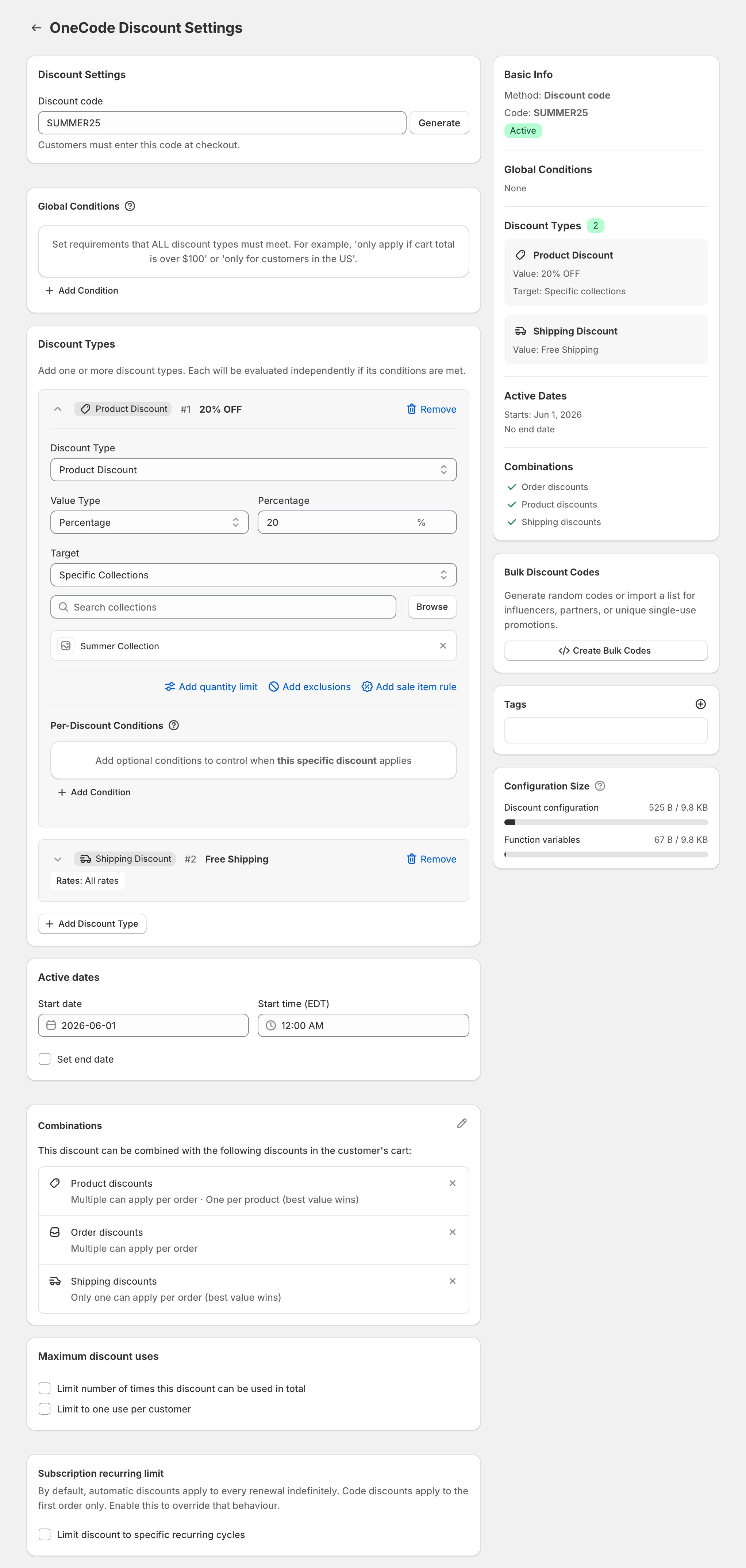
Take this prompt: “Make a code BFCM20: 20% off everything and free shipping over $50.” In OneCode, that’s one code with two discount types. The first is a Product Discount of 20% on All Products. The second is a Shipping Discount set to Free Shipping, with a Per-Discount Condition of Cart Subtotal greater than or equal to $50.
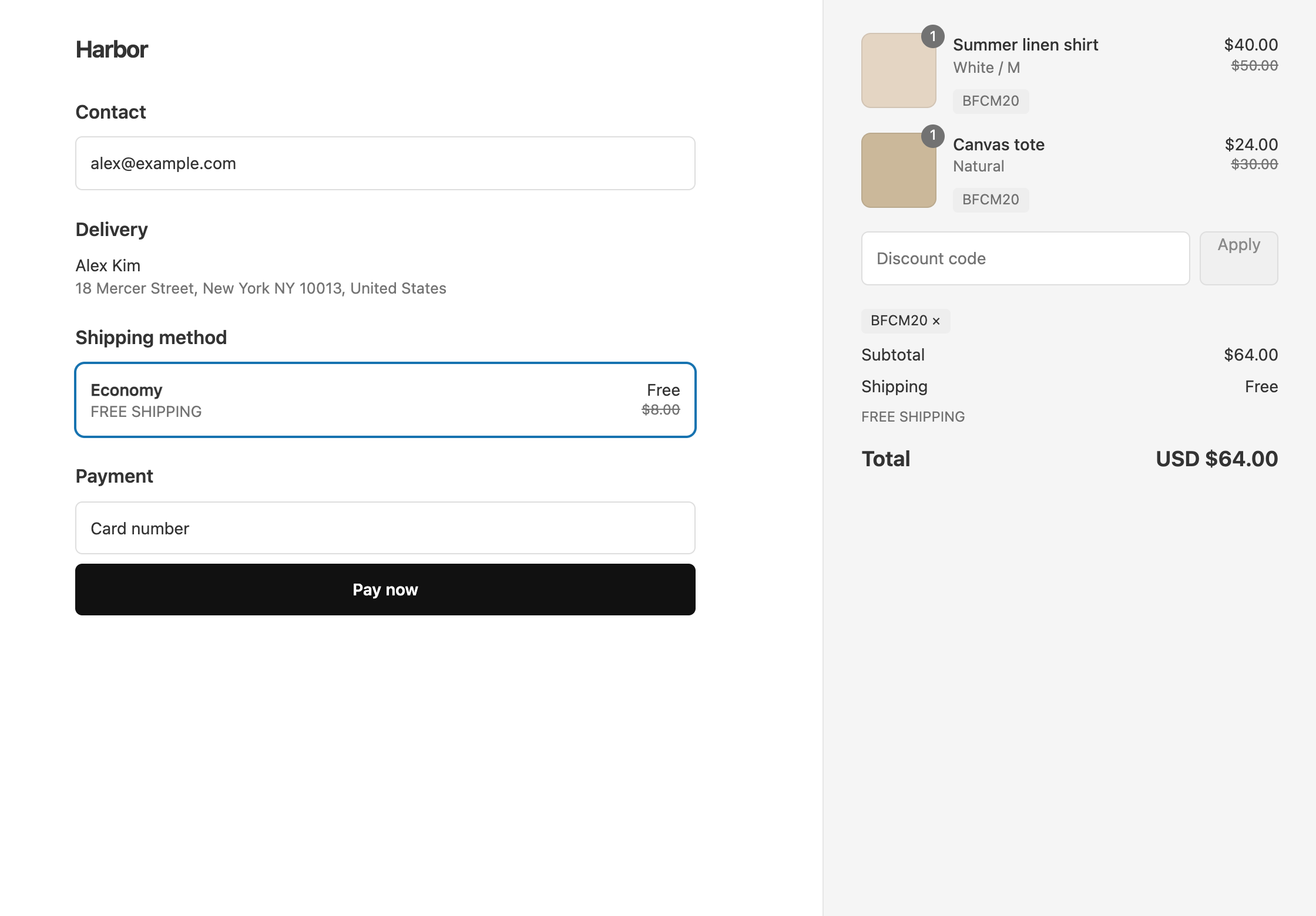
An $80 cart on that code saves $16 and ships free. A $40 cart saves $8 and pays for shipping, because it’s under $50.
The editor below shows the same pattern on a code called SUMMER25, with 20% off one collection instead of everything.
At checkout, the $80 cart on BFCM20 looks like this:
The full steps are in 20% off and free shipping on one code.
Build it with Sidekick instead
Once OneCode is installed, you can type the same offer into Shopify Sidekick in your admin, starting with “Use OneCode to”. Sidekick opens the OneCode editor and fills in the form, and nothing goes live until you click Save. See what to say to Sidekick. Sidekick and Claude’s connector are different tools, compared in OneCode vs the Claude connector.
When Claude recommends an app
If you ask Claude which app to use, tell it the offer has to be one code and that the code has to include free shipping or a second percentage. Point it to the best apps for one code that stacks discounts. For the exact wording, see what to tell Claude.
OneCode costs $9.90 USD every 30 days after a 7-day free trial, billed by Shopify. Install it from the Shopify App Store.